
Release 2023.12

December 2023

In our December release, we've refined the Content Builder. The new full-screen mode ensures a comprehensive view of the page you're designing.

This release also introduces numerous additional features and enhancements to the shop. We encourage you to review the detailed release list for a complete overview.

On the integration front, there's noteworthy progress. This month, we've emphasized improvements for both SAP and Exact. Notably for Exact users, Shoxl now supports Exact VAT-codes including tax; furthermore, Shoxl now sends product bundles to Exact.

The Content Builder now operates in a dedicated tab, providing ample space for content editing. Clicking the 'Editor' button directs you to a full-screen editor tab. Once you hit 'Save', you'll be navigated back to the Vendisto content management section.
When creating a new orderlist in Vendisto with some articles, saving it, then adding more articles and saving it again, an error would occur. This has been fixed.
Due to the login button retaining its active state upon being clicked, users often pressed it multiple times when experiencing login delays. These delays were due to slow responses from back-end components, including the ERP system. To address this, we've now configured the login button to disable after it's pressed. Meanwhile, we are also focusing on enhancing the speed of the login process itself.
The costlines have been expanded to include not only the discount percentage but also the uplift price/discount price. This change accommodates certain ERP systems that require a specific price value instead of a percentage.
Placeholders in login form fields are gentle cues or hints inside the input boxes, often showing sample data or a brief description like "Username" or "Enter your password." They help users understand what information is needed without cluttering the form with extra labels. They're useful because they simplify the login process, making it intuitive and user-friendly.

The portal login form now supports placeholders. This support will be extended to other forms used in the shop.
Modified the Additional category item setting to allow multiple additional tiles to be shown. You can add articles to a tile by creating a product property with a specific value. This way, you can display a tile that leads, for instance, to all articles on sale.
After adding an article to an order list, the status of the icon previously only changed from "add" to "added" after a page refresh. This has been modified so that the icon immediately indicates that the article has been added.
Not all product images where being served via Cloudflare, specifically on the article detail page and in the basket. This has now been changed, if Cloudflare is configured for a shop these images will also be served bij Cloudflare.
The quantity input box, which can be visible on the homepage (lists), article group overview page, article group page, article detail page, shopping cart, order lists, and favorites lists, has various implementations. Both its visibility at a location and its behavior depend on many settings. To ensure maintenance, expandability, and quality, all required functionality is now consolidated into one component.
The inheritance of assets in the classification tree used to take the image asset of the first child ArticleGroup to substitute a missing ClassificationNode asset. This mechanism is now changed to the image asset of the first child ArticleGroup that contains an image. This leads to a quicker population of images in the ClassificationNode tree when filling a portal shop with images.
When requesting a quote, we are now equipped to send an email containing all the necessary information for the quotation.
Exact Online: In Exact is it possible to define prices including tax by assignging an item item to a VatCode for a price including VAT. The Exact Batch interface now converts these prices to prices excl. VAT when generating files GrossPrices XML and ErpCache PriceLists and ErpCache CustomerPrices XML export files. This enables the shop to show the price excluding VAT.
When sending an order for product bundles to Exact, maintaining the order of these lines can be crucial. Since Exact doesn't recognize the notion of "product bundles," the sequence of order lines must visually indicate their association.
Adjustments in order list quantities used to initiate a stock call, regardless of whether stock information was vital. Now, by consolidating stock and price data into one call, we've halved resource use. The requisition for stock data is dictated by specific settings, including TreatAllArticlesasEndofLive and Ordermode.
The software framework for the SAP B1 integration is upgraded from Microsoft DotNet Framework 4.7.2 to Microsoft .NET 7.
Added ShoxlConnectorMaxReceivedMessageSize setting in order to receive responses that exceeded the default maximum length when receiving realtime data from the Erp system via the SAP interface.
Fixed a bug that caused the old articlenumber to remail in the ErpCache database in case of a change in the casing of a productnumber. This was is some cases leading to incorrect prices in the shop. The new number is now stored in the database.
ErpCache: Fixed a bug that is some cases caused an exchange rate to be applied when this was not supposed to happen while the CurrencyPolicy was set to Calculated.

Release 2023.11

November 2023

At the heart of our mission lies seamless integration, and November was no exception.

We're pleased to announce enhanced integrations for Exact, especially spotlighting the refined integration of delivery methods and schemes.

For our SAP Business One users, get ready to experience unparalleled efficiency with our brand-new cache. Acting as a real-time shadow for SAP, it not only boosts your performance but significantly reduces dependency on SAP's availability.

To further streamline your operations, we've developed an Order API. It allows you to complement order data with ERP data such as the ERP order number.

Though we're bubbling with excitement for the Quote Module's debut, perfection takes time. Initially slated for August, we're now eyeing GA for October.

It is possible to connect the Delivery Method to a DeliverySchedule via the Customer XML import. This functionality is now only enabled if the DeliverySchedules license is present.
The SAP Business One interface will be redeveloped to align with our latest development insights. Among other things, an SAP cache will be developed that will align with the SAP contents required for portals and shops. This SAP cache will serve as a near-real-time shadow of SAP and will be the foundation for our general ERP cache. Consequently, this ERP cache will no longer rely on the availability of SAP.
VismaCash: CustomerAddresses are now exported in Combined format. The invoice address of the relation is now also exported if it differs from the delivery address.
The Order API allows users to modify an order document in the shop and execute actions specific to the patch method. Before utilizing it, one must configure specific settings. The endpoint to update shop orders is https: //{domain}/api/v1.0/orders with supported action methods including UpdateShopDatabase and UpdateDeliveryCostsProvider.
Order API now returns the ERP ordernumber, when this becomes available. This feature is needed because in some cases the ordernumber is not yet available when submitting an order to an ERP system, and the shipment software (e.g. Delivery Match) needs it for processing the order. Zie: https: //app.gitbook.com/o/-Lr8SNrx9X2_k5JXMP6P/s/-LtA4mKRxZ43ImyX12__/~/changes/2263/shoxlpro/order-api
When logging in with one debtor account and adding an item to the order list, if you subsequently log out and log in with a different debtor account, the shop still indicates that the item has been added. The verification seems to be conducted on a global basis rather than being specific to individual debtor accounts.
Fixed bug that prevented the display of Order History for shops that use the SOAP version of the Shoxl WebService as realtime interface to the ERP system.
On the item group overview screen, the quantity input box should initially display the unit on which prices are based, rather than the incremental unit. For instance, if an item can be ordered per centimeter but the price is based on meters, the box should initially display "1" instead of "0.01". This addresses a usability concern.
Quotes can now be placed in the basket, ] Before ordering, the basket can be adjusted if needed. When ordering, the quote number is also sent to ERP or CRM software, in order to link quotes to orders.
Introduction of a feature that allows sales reps and the inside sales department to view outstanding quotes of prospects and customers, and to promote them to orders.
It has been made possible to select dates in the visible days of the previous and next month when using the new delivery schedule module.
Filter properties with value Unknown can be selected, but do not show any results. It has now been decided to hide these property values, since they do not realyy make sense when searching for a product.
The CSV upload didn't work for shops that use both ArticleNumber and ArticleGtins to identify the articles in an uploaded CSV file.
In fully private portals, users currently return to the account page after logging out and then back in. Ideally, users should always be directed to the homepage upon login. However, for public-facing catalogs, it's likely best for users to remain on their current page after logging in.
On the item group screen, when you move an image using the handle, it appears to stay in the new position. But after hitting "Save", it reverts to its original position, preventing image order changes.
When browsing assets, previously only JPGs were displayed in previews. Now, PNG files are also included.

Release 2023.10

October 2023

In October, we continued our efforts on the brand-new Quote Requests Module. We're excited to announce that this module is slated for release in August.

We've made notable enhancements to our Product API, one of which includes the capability to directly generate Excel sheets filled with product data.

We've refined several features such as ordering using decimals, defining delivery schedules, and integrating with Exact, SAP, and CS WholeSale. Additionally, for our SAP Business One integration, we've commenced the transition to our updated integration architecture.

Keep an eye out for significant new features in the upcoming months!

With a new layout block, it is now possible to show News Categories on the homepage.

The layout language is the tool with which the layout of a Shoxl Shop is configured. The language consists of blocks that can be added to sections of the various available pagetypes. The definition will then generate HTML that will be populated dynamically with data such as news items and products lists.
News categories block for homepage


We have removed some small flaws in our delivery scheme module, and made some small modifications to the user interface.

News categories block for homepage


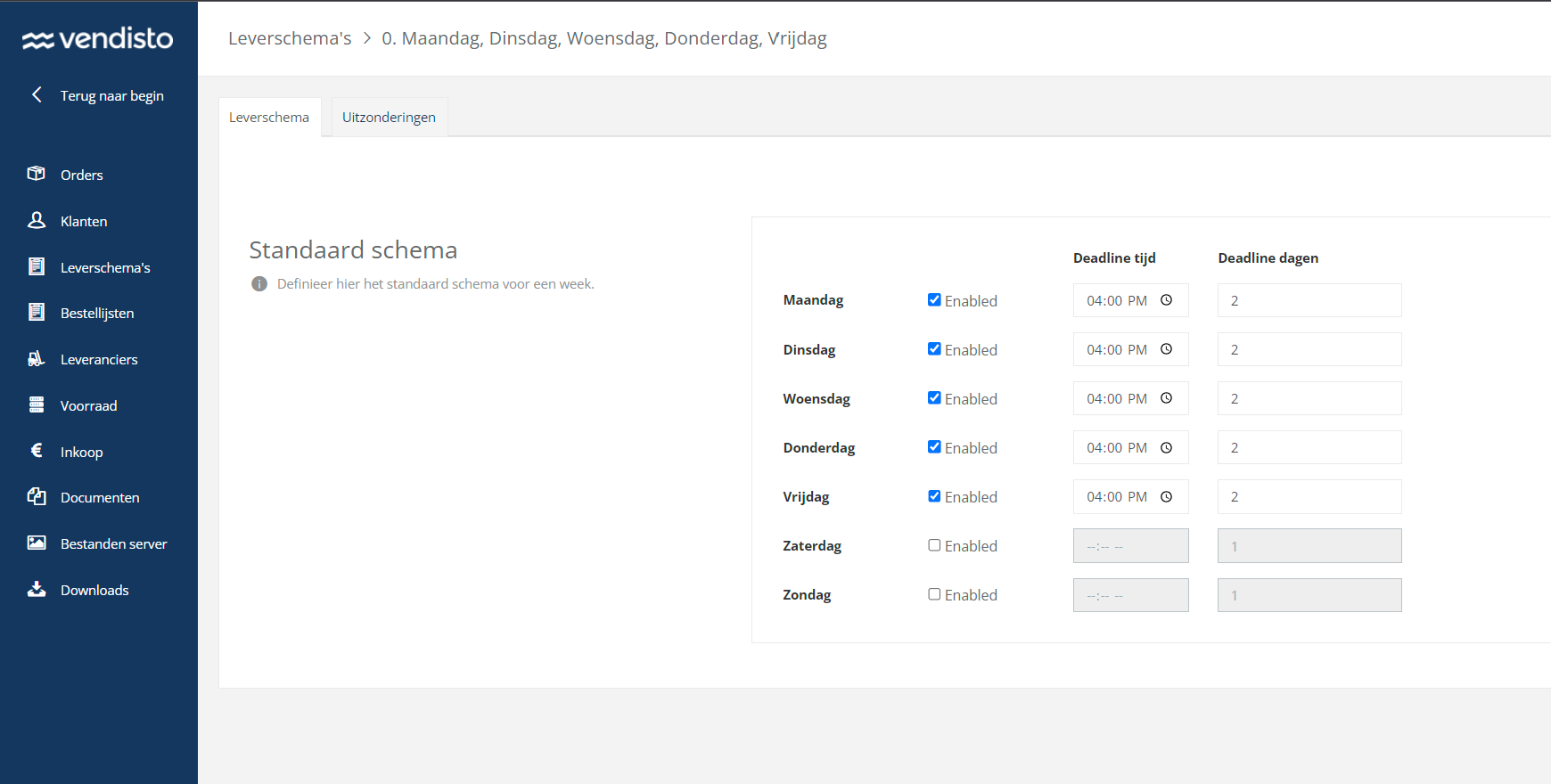
The delivery scheme module allows you to set a standard delivery scheme for a week, including exceptions for e.g. holidays. You can define specific schemes for specific customers, again with exceptions, that override the general scheme.

The module will then populate the calendar on your shop, and activate/de-activate days for your visitors and logged-in customers.
The product API definition now also supports the mapping of product information to XML attributes, instead of onle XML Nodes / XML Childs.
The Product API now also contains general information on the article group of which the article is part is, among which the article group description.
Some parts of the asset dialog where not translated from Dutch to English, this has been fixed.
A product (articlegroup) without variants (articles) can no longer be active. When a new product (articlegroup) is created it will get the suspended state. This state is changed to active when an active variant (article) is added to the product (articlegroup).
Fixed bug that could possibly cause an error when synchronizing documents to the performance database after importing articles in Vendisto. The error could occur when classification nodes where not translated.
Divisible Items in Exact can be bought in fractions. In order to support this in Shoxl Portals and Shops a number of changes were needed. We handle this as follows.

An item that is divisible in Exact will cause the MinimumOrderQuantity, AdditionQuantity and FromQuantity to be divisible too.

If Exact works with 2 decimals, the AdditionQuantity will be 0.01. The PriceUnit will be 1.00. A customer will then be able to buy any quantity starting from 0.01, but see a starting value of 1.00 in the quantity input field.

This feature is enabled in the Exact integration configuration with the parameter EnableDecimalQuantity.

For shops that use the parameter EnableItemPriceToArticleMapping divisble values are only generated for prices that are based on the base unit of the divisible item.

E.G. for a divisible item "A" that can be sold in meter and in roll, the MinimumOrderQuantity, AdditionQuanity and FromQuantity for derived article "A-meter" will be set to 0.01 and for derived article "A-roll" these values will be set to 1.
The way a customer's delivery is handled in Exact can now be connected to a specific delivery plan name in Vendisto. Now, you can set up connections between customers and delivery plans directly in Exact. Vendisto is only used to create and handle the delivery plans themselves
When generating a token in the new format you do not have to wait until the token is expired in order to use it as was previously the case.
In some cases the execution of the Exact batch interface failed after the interface failed to get a token to retrieve the data from Exact. The mechanism that retrieves the token now first performs a number of retries to get the token. This makes the mechanism less vulnerable to network related errors.
Sales representatives can be configured in Exact in order to be able to login into the shop on the customers account.

Depending on the configured settings:
  • Sales representatives can be added to a customer als part of an account classification
  • The customer's accountmanager can be set to serve as sales representatives
  • A predefined list of email addresses can be used as sales representatives for all customers
The sales representative user now always has an active state when being exported in the customer XML.
The email address of the sales representative users is now filled correcty when exporting users with the AccountManagerConfigurationType setting set to SalesUser.
Items are now synchronized to the Exact Cache before placing an order to Exact in order to avoid exception when placing order with empty Exact cache. This situation could occur after the initial software upgrade that introduced the Exact cache.
Added EnableDecimalQuantity setting to Exact Batch Interface to disable the automatic propagation of divisible items to decimal quantities.
Exact online: Inactive customers with a past Enddate are no longer exported in het Customer XML when the XML file contains a full export.

If the file contains a partial export then the customer's State will be set to Blocked if the customer involved is to be exported.
Fixed bug that caused an invalid price the in grossprices file when the Exact Batch Interface tried to create a price based on an exchange rate for a foreign currency while the item's base currency did not correspond with the base currency of the Exact administration.
An new option has been added to the basket, enabling the display of quantity instead of trade unit count when using trade units.
Due to a bug in the customer form the company specific field in the customer form would be hidden when switching between delivery methods.
CSWholesale: When placing an order with an alternate delivery address the Addressline1 field is now posted in a separated form since the housenumber (now) seems to be required in CSWholesale. Also added CompanyName to the Name field of the delivery address.
If the category Title is not supplied in the webshop XML, the importer will update this field to be equal to the Name field of the category. Fixed a bug that caused an empty title after a second import.
The discountPercentage on orderlines is now passed through to the PlaceOrder REST interface.

This enables the implementing party to use the DiscountPercentage on the Payment orderline in order to implement a discount on the entire order amount when placing the order in the ERP.
A start has been made on a complete refactoring of our interface to SAP Business One. The new setup follows our new generic model to interface with ERP systems.

Release 2023.09

September 2023

In this release, support for Quote Requests was started. The plan is to have this functionality fully completed by the next release.

The integration with Exact has been extended with support for ordering divisible items in fractions. In addition, we now support Standard type price lists.

And finally, the Core Shop has been extended and modified in a considerable number of smaller points. Check the list for details!

It is now possible to use both a minimum order quantity and additional quantities that have decimals. Thus, you are able to specify, for instance, that the minimum order quantity that is allowed is 0.5m, and that increases with 0.01m are allowed.

Using decimal numbers should, of course, only be possible when the ERP system accepts such numbers for specific products. In Exact, this is specified by setting the "divisible" property of a product.

Both the ErpCache batch interfaces as the REST API now support the use of decimal quantities when defining prices.

The MinimumOrderQuantity, AdditionQuantity and DiscountMinimumQuantity elements of the Gross Price Import XML format now support Decimal numbers.
Changed FromQuantity and ToQuantity datatype to decimal in ErpCache PriceList and CustomerPrices XML import formats and in GetProductInformations REST API. Introduced ShoxlRestApiSwagger_v14.json.
The shop now correctly uses the Exact pricelist of type "Standard". This pricelist, of which there can be only one per company, contains the prices which are used when there is no customer-specific pricing defined. If there is no Standard pricelist, default prices are used.
Exact Online: Warehouse is now beïng set when placing the order. When multiple warehouses are available, the main warehouse is taken unless otherwise configured in the DefaultWarehouseCode configuration setting.
Exact Online sometimes produces double linenumbers for some of the orders when exporting orders for the ErpCache orderhistory. Since these double linenumbers where leading to import issues, the linenumbers are now renumbered if a double linenumber is detected.
When exporting units from Exact it is configurable whether the ID or the description is used in the shop. Only units that actually are in use were exported. This caused difficulties when descriptions were changed. To prevent these issues not also the not active units are added to the UnitDictionary that is used when the UnitField setting is set to Description.
The optional Quote Module extends the shop with the option to request a quote for products that are added to the quote basket, instead of ordering them directly. For this purpose, the Vendisto database is extended with capability to store these quotes. With the Quote API quotes can be managed (stored, retrieved, deleted). In the next step, the shop will be connected to this API. Furthermore, it will become possible to promote quotes to orders. Stay tuned!
It is now possible to re-order assets on the Article and Article Group pages. This is done in Vendisto by dragging assets to a new position.
The spacer element used in the content builder was not visible after adding it to a page. This has been remedied by adding a missing container for this element. Furthermore, some padding and margin issues with full-width rows were fixed.
Fixed bug that in some cases occurred when importing an article .xlsx file containing number style cells
Fixed bug that occurred when importing articleproperties for an articlegroup that contained new articles while using the Group Id column in the article import file.
It is now possible to show an additional product category on a homepage, which contains all proeucts that have a specific property value. This can be used, for instance, to highlight all articles on sale.
In Vendisto it is possible to assign an image to a clasification node. This image will be shown in the shop on tiles representing the node.

If no image is assigned, the classification node will inherit the image of it's first child classification node. If the classification node does not have children, the node will inherit the image of the first article group.

An article group on it's turn inherits the image of the first article in case no image is assigned to the articlegroup.

Fixed a bug in the assignment of the inherited classification node images.
Removed some restrictions in the country selection on the registration page to make the list of shown countries customizable.
Added DeliveryDate to ErpCache Order history import format. Added deliveryDate to GetOrderHistory REST API. Introduced ShoxlRestApiSwagger_v15.json.
The CSWholesale interface now returns next to net price also the discount percentage and tariff to the webshop if these are available when requesting the article price for a customer.
The SmartLynx client is one of the options used to connect to SAP Business One. When placing an order via the SmartLynx client we now use the Task function of the client in order to improve the order placement experience in the shop. The end user will now get an "order placed" message while the order placement task is still running in the background.
The SmartLynx client is one of the options used to connect to SAP Business One. In order to enable the search on own articlenumbers in the shop, we now implemented the MatchCustomerProducts function using this client.
The synchronization mechanism that is used to copy PIM data from the Vendisto database to the Shoxl performance database now uses a retry mechanism that automatically retries synchronization batches in the case of network errors or sql server timeout exceptions.

Release 2023.08

August 2023

A feature-packed month! Our development team pulled out all the stops, to say the least.

With our new DeliveryScheme Module you can link customers to delivery schemes (routes), and let them select only the days an order can be delivered.

With the new SalesReps Module, sales representatives are able to quickly enter orders for their customers.

With a completely revamped and lightweigth Account API we have created dramatic performance improvements when logging in to a shop or portal.

Our Exact integration now supports the definition of product properties in Exact. We also refined our interfaces with DeliveryMatch, SAP, GA4, Visma, and Mollie.

Check out the release notes to get the full picture!


Delivery schemes specify the dates/days on which goods can be delivered to customers.

This can, for instance, depend on routes that are driven: a driver can visit the province of North Brabant only on Tuesdays, and thus a customer in this Province can only opt for delivery on a Tuesday.

When a customer wants to order for delivery on specific dates, he/she/it will also has to deal with cut-off times. So for example, orders for Tuesday must be submitted by 4 p.m. Friday.

Delivery schemes can get complex, because of exceptions such as public holidays.

With our new Delivery Scheme feature it is possible to create delivery schedules that consist of both delivery days/dates and the accompanying cut-off times, and to link them to customers. When choosing a preferred delivery date during check-out, customers can only select days that are available according to the schedule they are linked to.
A new feature is now available, the 'vertegenwoordigersmodule'. With this module a sales representative can now log in to a shop or portal of his customers, without the need to sign in and out repetitively.

Assigning sales resp to customers is a simple action of creating a user account within the customer account, with the sales reps emailaddress as the username.

All companies a sales rep has access to will then be shown in a list that appears after initial login of the sales rep. After selecting a company, the sales rep can proceed with entering orders for the customer. When done, the Exit button will then show the list of customers again.

For administrators, we have created an option to access all existing customers.
The account API has now an endpoint for retrieving the sales rep that is linked to a specific customer. Sales reps are linked to a customer by creating a user within that custmer, with the email address of the sales rep. A sales rep can access all customers in which he/she/it has a user account.
In the Shoxl e-commerce platform architecture, the management component Vendisto plays an essential role. For instance, when a user logs in to a shop or portal, his/her/its credentials are checked by consulting Vendisto.

With the growing set of features that depend upon Vendisto, responses are slowing down to a level that negatively affects usablity.

Our new and very lightweight login API allows the various services and features of our e-commerce platform to acquire the necessary authorizations very fast.

So, goodbye to long waiting times when logging in! After completion, the new API will be rolled out to all of our shops in a staged manner.
Implemented three different options to define sales representatives with access to configured customers in Exact Online.

Depending on the configured settings:
  • Sales representatives can be added to a customer als part of an account classification
  • The customer's accountmanager can be set to serve as sales representatives
  • A predefined list of email addresses can be used as sales representatives for all customers
It is now possible to separate the shop language, and the culture that is used for formatting prices, dates, and so on. So for example, when visting a shop in the Englisg language, previously prices were displayed with a dot as decimal sign. For Dutch vistors that use the English language, this shoud be a comma sign. In the new set-up this is now possible.
It is now configurable whether the order grid shows gross prices or (customer-specific) nett prices.
OK, we too have finally figured it out: Northern Ireland is no longer part of the EU.

According to our code, 'XI' was still within the EU. The VIES settings, that are used to check whether we should apply VAT for foreign transactions, also still mentioned XI: 'AT,BE,BG,CY,CZ,DE,DK,EE,GR,ES,FI,FR,HR,HU,IE,IT,LT,LU,LV,MT,NL,PL,PT,RO,SE,SI,SK,XI'. Northern Ireland (XI) has now been removed from these list. Foreign transactions to Northern Ireland will therefor now use VAT 0%, instead of Reverse VAT.
The CSV result screen could not display articlegroup images if an article in the results didn't have any images. This has been fixed.
Some carriers require the availability of email address and phone number as part of the shipping address and invoice address. This information will now, if available, be sent by the PlaceOrder method.
It is now possible to manage product properties (such as brand, size, colour) in Exact. This is an alternative to using the Shoxl PIM system, for cases in which the number of product properties is fairly limited. The advantage of this approach is, of course, that management of these properties can be done in the familiar environment of Exact.

The number of extra fields for an item in Exact is limited to 8. The fields that define product properties are configured during protal/shop setup.
When placing a pickup order in the shop, the pickup address is added as a delivery address in the order. This was leading to the pickup address added as a delivery address when placing the order in Exact Online. This behaviour is now changed. When placing the order in Exact Online the delivery address is set equal to the invoice address and the Exact shipping method is set to the shipping method that was associated with the Shoxl pickup delivery method.
Added BillingFirstName, BillingMiddleName, BillingLastName, ShippingFirstName, ShippingMiddleName, ShippingLastName, EmailAddress, PhoneNumber, MobilePhoneNumber, ShippingEmailAddress and ShippingPhoneNumber to REST API PlaceOrder function
Implemented the ability to add a company name field to the form that is shown when filling in a different delivery address in the checkout.
fixed bug that prevented correct synchronization of Shipping Methods to Exact Cache. This caused the order to be uploaded to Exact without shipping method.
In specific cases, only one orderline for orders containing multiple orderlines was placed on the Google Analytics datalayer. This behaviour has been corrected.
When no delivery method is returned by DeliveryMatch (or any other software that allows the customer to select a delivery method), the delivery costs are not known. It should be configurable whether a customer, in such cases, is allowed to pay the preliminary invoice, or has to wait until a final invoice is sent by the shop.
The SAP WebService now writes an Order XML when placing a shop order. The Order XML file is then placed into SAP with a different process. This approach eliminates the timeout exceptions that could occur when placing orders to SAP.
After applying a coupon (code) to an order in the web shop, one or more additional lines will be added to the order. This is because the discount is divided proportionally over all items. For each VAT percentage used in the order, an additional order line will be included.

This means that three new items need to be created in Exact:

  • Coupon discount 21% VAT
  • Coupon discount 9% VAT
  • Coupon discount no VAT
These items need to be linked to similar VAT codes in Exact. Make sure that for these VAT codes, the intrastat checkbox is unchecked or if not, that the coupon article gets an intrastat code. The latter is necessary because otherwise deliveries within the EU cannot be placed in Exact.

The item numbers of these Coupon items are configured in the settings of the Coupon module.

Release 2023.07

July 2023

On top of our minds for July: the voucher module. After completing the voucher API last month, this month was devoted to implement vouchers in the shopping checkout process and the ERP integration layers.

As part of our promise to deliver seamless integration with your back-end systems, we also spend a lot of time on - in this case - the nitty-gritty details of interfacing with Exact Online and Exact Globe.

And finally, as a consequence of our c-commerce architecture, our attention went to the ingrations with tools such as PostMark, DeliveryMatch, and Mollie.


It is now possible to apply vouchers in the checkout process. Voucher code remain visible throughout the checkout process, and are also added to the mail. Security measures are implemented to prevent abuse.
Article groups that contain hundreds of articles can be very slow if the ERP system returns prices one by one. To solve this issue, very large product tables are now optionally paginated; and the price data is collected in batches.
Images are now cached following the HTML standards. If as image is not changed (etag and last modified date), the shop will now return a 304 instead of streaming every time the whole image. The cache can be setup on one hour, but is configurable by webshopsettings (image/OriginalImageCacheTimeInHours) When the cache has been expired, it will still check if the image has been changed. If not, the shops returns a 304 and the cache will be extended with one hour
Added export of VatPercentage to export formats of next batch exports: GrossPrices, ErpCache_PriceList, ErpCache_CustomerPrice, ErpCache_Order (history)
Although total order prices should be calculated by the ERP system, in some cases we cannot avoid to let the shop calculate them. This is, for instance, the case when the shop implements vouchers but the ERP system does not implement vouchers. For Exact Online, it is now possible to upload the total price as calculated by the shop.
Exact allows its users to link a currency to a customer. The primary currency that is specified for the company is translated (through an exchange rates table) to the customer currency, if the latter differs from the primary currency.

Added Currency field to (Vendisto) Customer Export of Exact Batch Interface.
Updated to CustomerData Importer 2.2 format.
In the Basic version of Shoxl for Exact Online, items are classified by adding them to an assortment in Exact. With this extension, it is now also possible to choose item groups as the basis for classification.
In some cases it is desirable that order lines are sorted alphabetically in Exact. This is achieved by ordering them in the webservice that sends orders to Exact.
Payment link has been added to the library for our order confirmation e-mails
An order list would fail when it contained a not classified article. This has been fixed by not displaying these articles in an order list,
The alternate delivery address interface in the order process has been split in two individual sections, address selection and address creation. Both sections can be switched on/off.
A new webshop setting 'SendAlwaysInternalOrderNumber' has been introduced. When this setting is set, we will always send the shop order number even it is non-PSP order
When the shop opens a stream to Raven it never disposes it. This let to a socket leak. This has been fixed.

Release 2023.03

March 2023

In march work started on a new Voucher API. This will allow the shop to check for the validity of vouchers that are entered, and to redeem them. Vouchers will be manageable by the shop owner through the Vendisto import/export feature.

Furthermore work continued on the various integrations with Mollie, Exact and Visma; and we polished the orderlist and invoice sections of the Account Portal.


A basic API has been made for voucher management. This is an internal API and not accessible for the outside world. The API is "lightweight", and allows the shop to check and redeem vouchers with minimal resource usage.
An optional ApiKey has been added to the webshopSetting: Security.ApiKey When the key has been entered all the API calls can only be access by giving the APIkey in the header. So it works on the authenticationAPI, tokenAPI and productAPI. More info can be found in Gitbook: section shoxlpro/product-api
It is now possible to refresh the API output by given the header Renew-Cache. More info can be found in Gitbook: section shoxlpro/product-api
A valid user is now mandatory for using the API. The user should have the role API to be able to access the API. More info can be found in Gitbook: section shoxlpro/authentication-api
When importing very large Excel files, it becomes necessary to see the import progress. For this purpose, a progressbar has been implemented.
Order lists can have selection boxes, with which the subset of articles that a customer wants to add to a basket can be marked. When setting the amount to be ordered of an article, the checkbox is now checked automatically.
The related products sliders now supports "smooth sliding". Previously, the slider progressed step-by-step.
The Content Builder has been extended with the option to place content that spans the entire screen.
When exporting PriceLists from the Exact Cache, the baseprice is now retrieved from the SalesItemPrice table when the standards sales price is used as the base for the discount of the pricelist volume discount record.
It is now possible to add category information in the API feed: Example: 1) Category_Path (E.g.: The category path like 'Computers/Desktops/Components/RAM' ) 2) Category_Level_X (The X will stand for the level, in the case we have four levels. We will have access to the properties): Category_Level_1 (Computers) Category_Level_2 (Desktops) Category_Level_3 (Components) Category_Level_4 (RAM)
To be able to process orders with shippingscosts a shipping costs article needs to be specified in Exact. To process discounts because of voucher codes, voucher items need to be specified. These Exact items also have VAT codes. The Exact batch interface should retrieve these items from Exact and make them available to the shop.
Mollie allows users to re-use previous payment methods. One-time customers that buy on a default debtor number should not get this option.
When an order has been paid, the payment link cannot be used anymore. In this case the shop will display a page with information.
Fixed bug in synchronization scripts that occurred when assetcategories are translated in multiple languages.
The Visma Cash interface has been extended with support for customer-specific prices and pricelists. The Visma inyterface is now fully operational.

Release 2023.02

February 2023

For the February release, the main focus was on further integration with Payment Service Providers, including Mollie. An important new feature in this area is the ability to enter orders into the ERP system only when the order has actually been paid.

Our development team also focused in February on finalizing the Product API, the import/export of article data, and the new visual content builder.

Furthermore, some nice improvements have been made in order list management, which allows customers to define lists for faster and easier ordering.


In the default Shoxl check-out flow, users arrive at a "Thank you for your order page" and can then proceed to a Payment Service Provider such as Mollie. When they complete their payment they are redirected to the shop and shown a "Thank you for your Payment" message. That is, if the payemnt is succesfull.

In the new default check-out flow, users are redirected to the PSP when pressing the Order button. So they skip the Thank You for Your Order Page.Furthermore, the handling of PSP states other than Paid has been improved. Payment states such as "Payment not yet confirmed by the Creditcard Company" or "Payment Cancelled by the User" now show a clear message when retuerning to the shop.
After selecting a date from the date picker pop-up (e.g. the deliverydate in the order proces) the pop-up would remain open. This has been changed so that the pop-up will now always be closed automatically when selecting a date.
The basket can now optionally display the GrossPrice and the discount percentage (as caalculated from the GrossPrice and the NettPrice).
Ordering items on an orderlist now results in a reset of the quantity field. Previously this field was not cleared. The amount is now reset to the minimum order quantity for the article.
Editing the order lists contained an error that prevented a shop visitor to edit the list. Both removing articles from the list and removing an entire list no longer worked. This bug has been fixed.
When using the columns layout in the shop the state of menus displayed in the left and/or right column will nog be persistant. This means that a menu that has active (opened) menu items will remain open when loading a new page or when refreshing the current page.
When a customer logs in to a shop, the credentials (user id / password) are checked. This involves communication with the back-end software, which in some cases reacts slow. There is now visual feedback on this to the user.
We introduced a new framework for the import of article XML data that realises a dramatic performance improvement in the import time. The new framework was realised for a customer with a fast changing product assortment with multiple daily uploads of article data. Together with the import framework the Article Excel export was rewritten to use parts of the same new import/export infrastructure. The updated Excel export uses far less system resources than the old one.
The email engine sent empty nodes and null values in the template model to Postmark. This ensures that we render all fields automatically. This is not the intention. It is now built in such a way that empty lists and null values are no longer sent in the template model.
An option has been added that prevents the shop from automatically redirecting an article group page to the article page if the article group contains only 1 article.
When a youtube video asset was added to an article it would not be displayed on the article detail page due to a bug in the image gallery. This bug has been fixed.
In certain configuration the article table used to display and select articles in an articlegroup would display the nett price twice for logged in visitor. This bug has been fixed.
The article comparison buttons on article detail pages would be disabled incorrectly, resulting in the fact that the article could not be added to the article comparison. This bug has been fixed.
The new Drag & Drop contentbuilder now support Dynamic elements. These are elements that do not contain static content, but are populated with dynamic items such as products and news items. It is therefore now possible to include such dynamic items in pages build with Content Builder.
The field Brand on the Article group Page is now optional in the Vendisto interface. It was already optional in the import/export.
The rights management module of Vendisto has been extended to also allow/disallow access to new functions and sections.

Release 2023.01

January 2023


Experience the power of the completely revamped Product API! With our advanced technology, it's now easier than ever to create custom product feeds tailored specifically to your customers' needs. These feeds contain a carefully curated selection of products, complete with customer-specific prices and discounts.

Whether you need to create customer-specific price lists, product catalogs, or flyers, our Product API has got you covered. You can even deliver product data directly to popular marketplaces like Amazon and BOL.com! With our fully configurable feeds, you have complete control over the content, structure, and fields included in the feed.

Plus, you can create sub-assortments with ease by defining user access or attributes to products. Filtering and post-processing steps can be done using powerful tools like Zapier, where you can also perform transformations and scoping of feeds.

Our product feeds are available in Json, XML, and CSV format, and can be fully customized for each specific channel. With the ability to tailor feeds to individual customers, including their unique pricing, the Shoxl API is miles ahead of competing B2B e-commerce platforms.
Importing very large files (several hundrerds of order lines to the basket) resulted in some cases in time-outs. By processing these files in batches these errors are prevented.
In the default Shoxl check-out flow, users arrive at a "Thank you for your order page" and can then proceed to a Payment Service Provider such as Mollie. When they complete their payment they are redirected to the shop and shown a "Thank you for your Payment" message. That is, if the payment is successful.

In the new default check-out flow, users are redirected to the PSP when pressing the Order button. So they skip the Thank You for Your Order Page. Furthermore, the handling of PSP states other than Paid has been improved. Payment states such as "Payment not yet confirmed by the Creditcard Company" or "Payment Cancelled by the User" now show a clear message when retuerning to the shop.
The basket can now optionally display the GrossPrice and the discount percentage (as calculated from the GrossPrice and the NettPrice).
After selecting a date from the date picker pop-up (e.g. the deliverydate in the order proces) the pop-up would remain open. This has been changed so that the pop-up will now always be closed automatically when selecting a date.
When a customer logs in to a shop, the credentials (user id / password) are checked. This involves communication with the back-end software, which in some cases reacts slow. There is now visual feedback on this to the user.
We introduced a new framework for the import of article XML data that realises a dramatic performance improvement in the import time. The new framework was realised for a customer with a fast changing product assortment with multiple daily uploads of article data.

Together with the import framework the Article Excel export was rewritten to use parts of the same new import/export infrastructure. The updated Excel export uses far less system resources than the old one.
The new Drag & Drop contentbuilder now support Dynamic elements. These are elements that do not contain static content, but are populated with dynamic items such as products and news items. It is therefore now possible to include such dynamic items in pages build with Content Builder.
Editing the order lists contained an error that prevented a shop visitor to edit the list. Both removing articles from the list and removing an entire list no longer worked. This bug has been fixed.
Ordering items on an orderlist now results in a reset of the quantity field. Previously this field was not cleared. The amount is now reset to the minimum order quantity for the article.
When a youtube video asset was added to an article it would not be displayed on the article detail page due to a bug in the image gallery. This bug has been fixed.
In certain configuration the article table used to display and select articles in an articlegroup would display the nett price twice for logged in visitor. This bug has been fixed.
An option has been added that prevents the shop from automatically redirecting an article group page to the article page if the article group contains only 1 article.
When using the columns layout in the shop the state of menus displayed in the left and/or right column will nog be persistant. This means that a menu that has active (opened) menu items will remain open when loading a new page or when refreshing the current page.
The email engine sent empty nodes and null values in the template model to Postmark. When setting up a template, Postmark is able to hide sections with fields that are missing in the input. However, empty fields or fields with null values are rendered always, so we are not able to hide them in rendered mails.

It is now built in such a way that empty lists and null values are no longer sent in the template model.
The field Brand on the Article group Page is now optional in the Vendisto interface. It was already optional in the import/export.

Release 2022.12

December 2022


Introducing the latest feature of our ecommerce platform - the Lists module, a powerful tool for your customers to easily create and manage multiple lists of products. Whether they need to keep track of products for daily, weekly, or monthly orders, or for specific projects, our Lists module makes it simple and convenient.

In the short demo below, you first see the orderlist module in the account section. Next a product is added to the list, and the full list is added to the basket.


Adding articles can be done through a pop-up on the article page. For shops and portals that consist of article groups with each only one article the module can be plaed on the article group page.

Adding products to lists is effortless with a pop-up feature on the product page, and for shops and portals that consist of product groups with only one product, the module can be placed on the product group page. Your customers can specify the quantities they need in the list itself, or edit quantities in the basket.

As a Vendisto user, you will have the ability to view, compose and maintain lists for your customers, providing an added level of service, such as preparing a list of their favorite products before inviting them to place an order through your portal or shop. Upgrade your customer's ecommerce experience today with our Lists module.

This feature gives the possibility to redirect to the PSP after checkout completion, as well the possibility to submit the order to the ERP after a successful payment.

3 settings have been implemented:

  1. Default, the default flow.
  2. Redirect to the payment provider but the order has already been posted to the ERP. The redirect will only be applied if an PSP has been selected. In all other cases, the user will be redirect immediately to the success page.
  3. Redirect to the payment provider. The order will be submitted to the ERP as soon as the order has been paid. If no PSP has been selected. The order will be posted immediately to the ERP
For B2B companies, international trade is VAT-exempt. The customer has to pay VAT. However, when turnover in a country exceeds certain limits, a company has to register in that country, and has to pay VAT.

The shop now allows the merchant to have merchant addresses in multiple countries. If a customer orders from a foreign contry, the shop checks whether the merchant has an operating company (merchant address) in that country. If so, the applicable VAT is charged.

If not, the order is VAT-exempt.
The shop layout options have been extended bij 2 new options: we can now define a left and a right column. These columns will be displayed to the left and right of the main content and the header/footer. These new sections can currently contain the follwing page building blocks:

  • Header/Layout/Logo
  • Header/Layout/Menu
  • Header/UserMenu
  • Footer/Layout/Menu
An example of a left-menu set-up can be seen below.

Customer Article Numbers Search


On mobile devices, menu's that are placed in the left content section will show as a hamburger menu (stacked pile of fat stripes). Clicking the section will slide it into view.
The shop/portal now offers a choice for the formatting of round prices. You can opt for a dash (10,-) or for trailing zeroes (10, 00). A dash is not common in some foreign countries such as Ireland.
Visma Cash is widely used in the SME segment, primarily as an accounting package. Shoxl shops have a standard interface definition for ERP-systems, but was still lacking integration with Visma.

The Visma integration is now in the process of making. The first step, getting gross prices from Visma, has been finished. The full interface will be operational early Q1/2023.
Postal codes are standardized, but unfortunately not everybody implements the standards correctly. In this specific example, the standard says there should be a dash in Portuguese and Japanese postal codes. This is implemented correctly by SAP. However, when posting this postal code to DeliveryMatch (to calculate delivery costs and find the best carrier) the postal code is refused because of the dash.

We are now able to replace or remove specified characters in postal codes for specific countries, when posting to carrier selection software. The correct postal codes are still used for the ERP system (which otherwise would refuse them, sine they do not comply to the standard for postal codes).
Building content for different page sizes remains a challenging task, especially without a technical background. Ensuring that content renders in an optimal way on mobile, tablet and desktop screens requires knowledge of HTML, CSS and Gird Systems such as Bootstrap.

With our brand new Page Editor responsive content can now also easily be developed without technical knowledge. The editor allows marketeers to create beautiful content, just by dragging and dropping elements on the Page Canvas.

The new editor is currently in beta, and available to selected users only. We expect it to make it publicly available in the January release.
The Search bar in Vendisto became inactive after visiting the page found in a previous search result, and returning to the product list. In such cases, it was necessary to reset the full grid for a new search. This behaviour has been remedied.
The articleGroup tiles can now display the stock indication, This stock indication functions identically to the stock indications used elsewhere in the shop.
The search input will now display a "clear search term" button whenever a search term is present. When there's no search term present the button will be hidden.
If the Exact interface is configured to export the description field of the unit as the unit (UnitField == UnitField.Description) then no unit will be returned to Exact on the orderline when the unit description cannot be translated back to a unit code. The orderline will in this case be mapped to the default sales unit of the item.
The setting "ReplaceTrailingDashByZeroes" determines whether the shop displays round amount with a dash (€10,-) or with zeroes (€10, 00). However, the setting did not work correctly for amount that were rounded: €10, 0001 would be displayed as €10, 00 instead of €10,-. This behaviour has been changed.

Release 2022.11

November 2022

In the November release, it has become possible to display the customer's own article numbers and to search on them. Naturally, this only works when logged in. In addition, various improvements have been made to the product bundle functionality and to the product selection dialog .

Also worth mentioning is that the pace at which releases are published will be increased from December. We are moving from a monthly release to a cycle of two-week sprints. As a result, new functionality will become available to our implementation teams, and therefore to you, even faster.
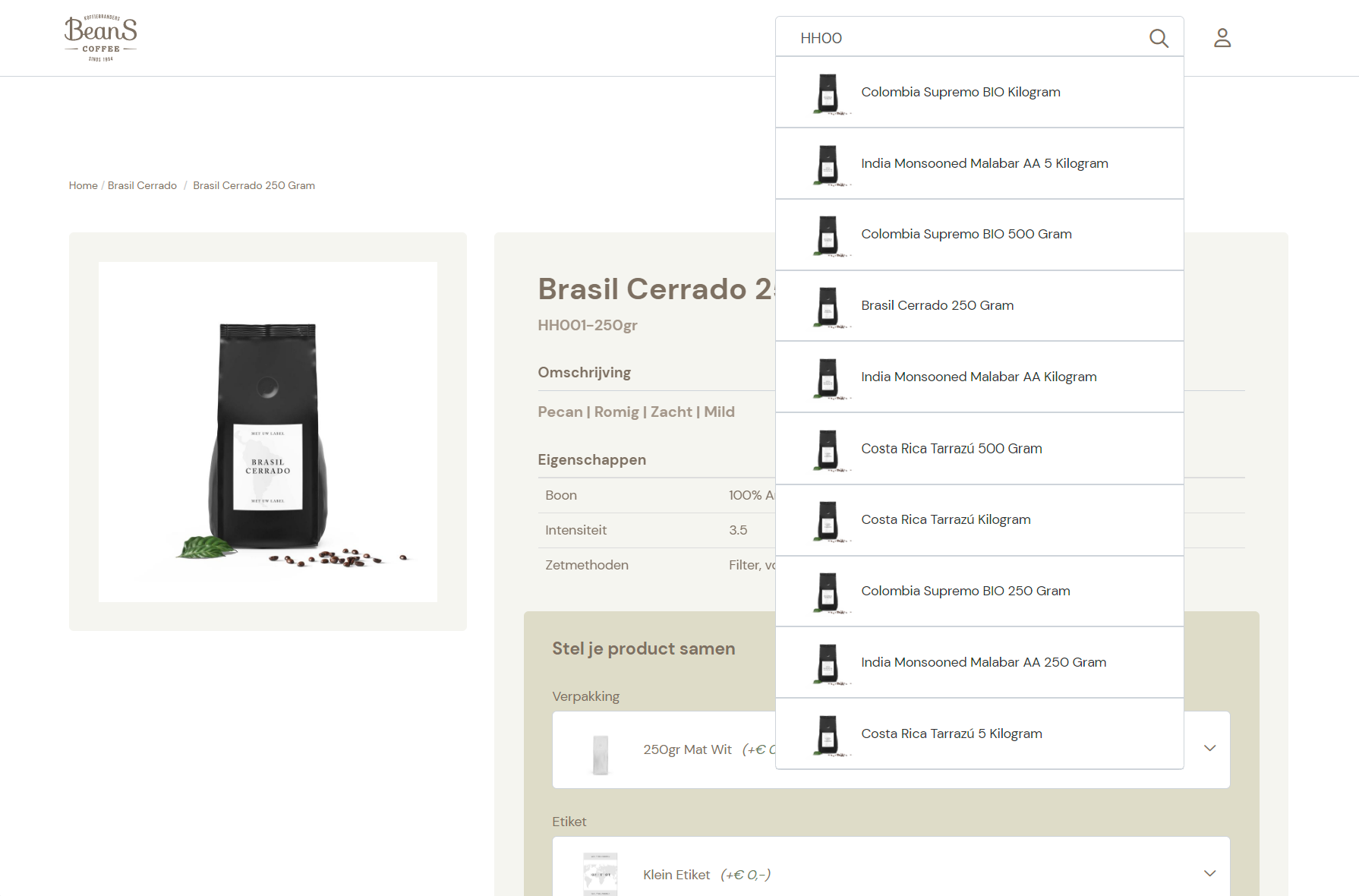
Added optional functionality that enables the shop to display the client-specific ordernummers on the article detail pages. This is also supported for the autocomplete and search functionality.

Customer Article Numbers Search


Created generic mechanism for synchronization of Exact entitities that cannot be synchronized via the Sync/Delete API. Implemented synchronization of CustomerItems to Exact cache. Exact Batch Interface now supports CustomerProduct export option. The ErpCache importer supports the CustomerProduct file format. Implemented an endpoint with which the shop can request the customer's own product number and can match customer product numbers with shop product numbers.
The article selection wizard had some issues with selecting articles where a user had no rights to (authorization). Support for options in the wizard with empty values has been added so that it is possible to select all available articles.
The functionality created to display article property values in the articlegroup overview was removed by accident and has been restored. Several bugs in this functionality have also been fixed.

Article Property Values on Article Group Overview Page


Solved bug that caused article group overview list to fail if both articlegroup and descending articles did not have an image.
Fixed fault in generation of ErpCache PriceLists that occurred when generating records for item type pricelists of PriceUnit based mapped Items for BeansCoffee.
Fixed exception that was caused by two active salesPriceListPeriods without enddate. The batch interface now takes the period with the last startdate as the active period.
Implemented use of HttpClientFactory when calling REST interface from Shoxl WebService in order to minimize socket usage.

Release 2022.10

October 2022

In October, "product bundles" were introduced: items that are sold as a set, but that are entered in the ERP system as separate SKUs. A bundle consists of components, and for each component the customer can choose from the variants within the bundle. Previously defined authorisations also apply to bundles, so customers can only put together bundles from components they have access to.

Elegant and advanced technology, then, that can be used by any business that deals with product configurations.
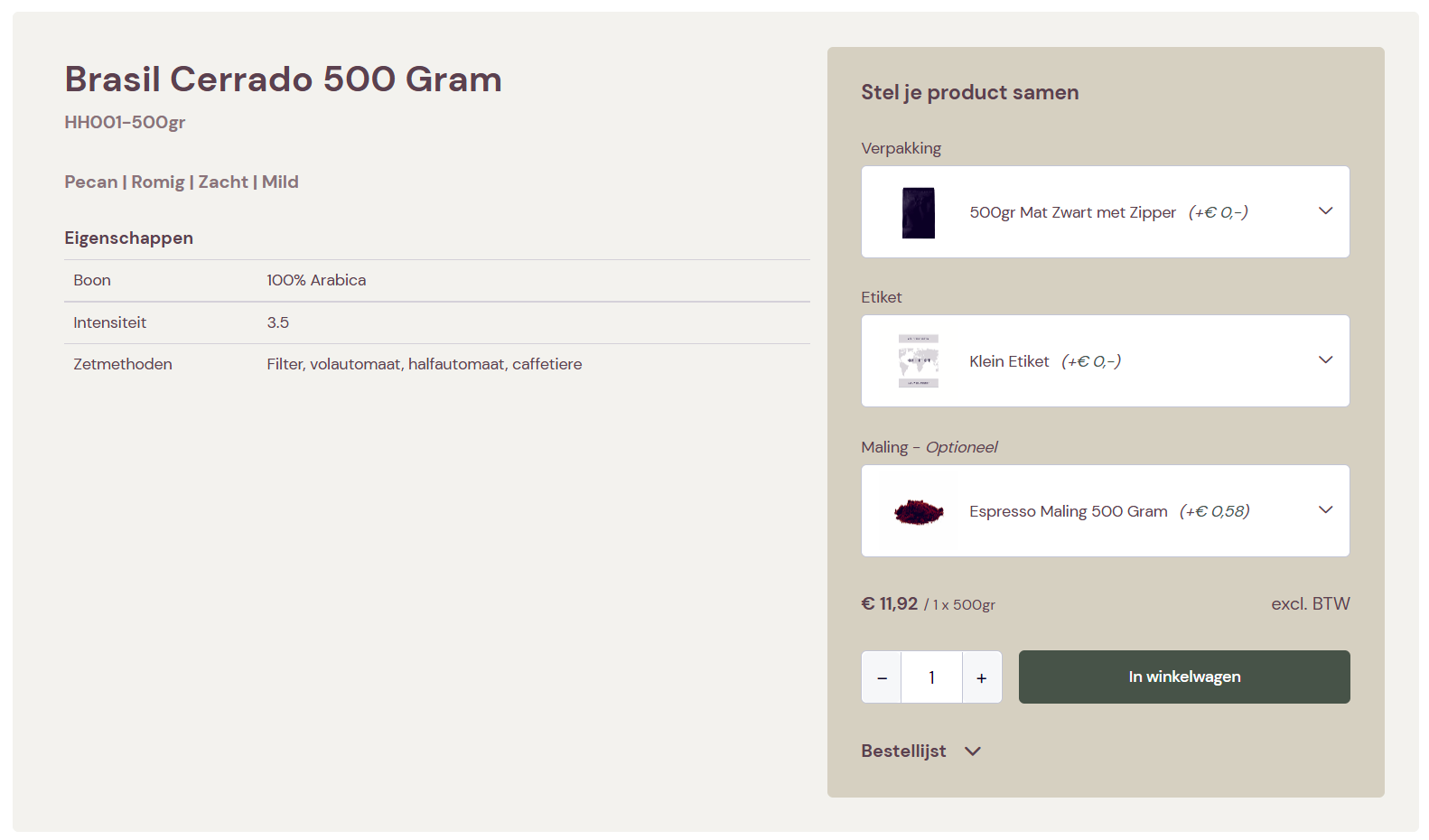
With the new layout block ArticleComponentsOrderInterface it is possible to activate an orderinterface in which customers can compose a bundle.

Related Article Groups Slider


The articles that can be a part of this bundle are defined in the Shoxl PIM module. In this module you first define the component types, such as "Verpakking" in the example image. Then you define which articles should be shown as options for this component type.

Articles can be optional or required, and can have their own price which is added to the bundle price when the option is selected.

Articles have their own SKU, so can be available outside of the bundle also. There is no need to define bundles in the ERP system, articles are handled as individual items.

For all articles that are part of the bundle you are able to specify who is allowed to see and select them. This way you can show generaic options to everybody, and customer-specific ones only to selected customers.
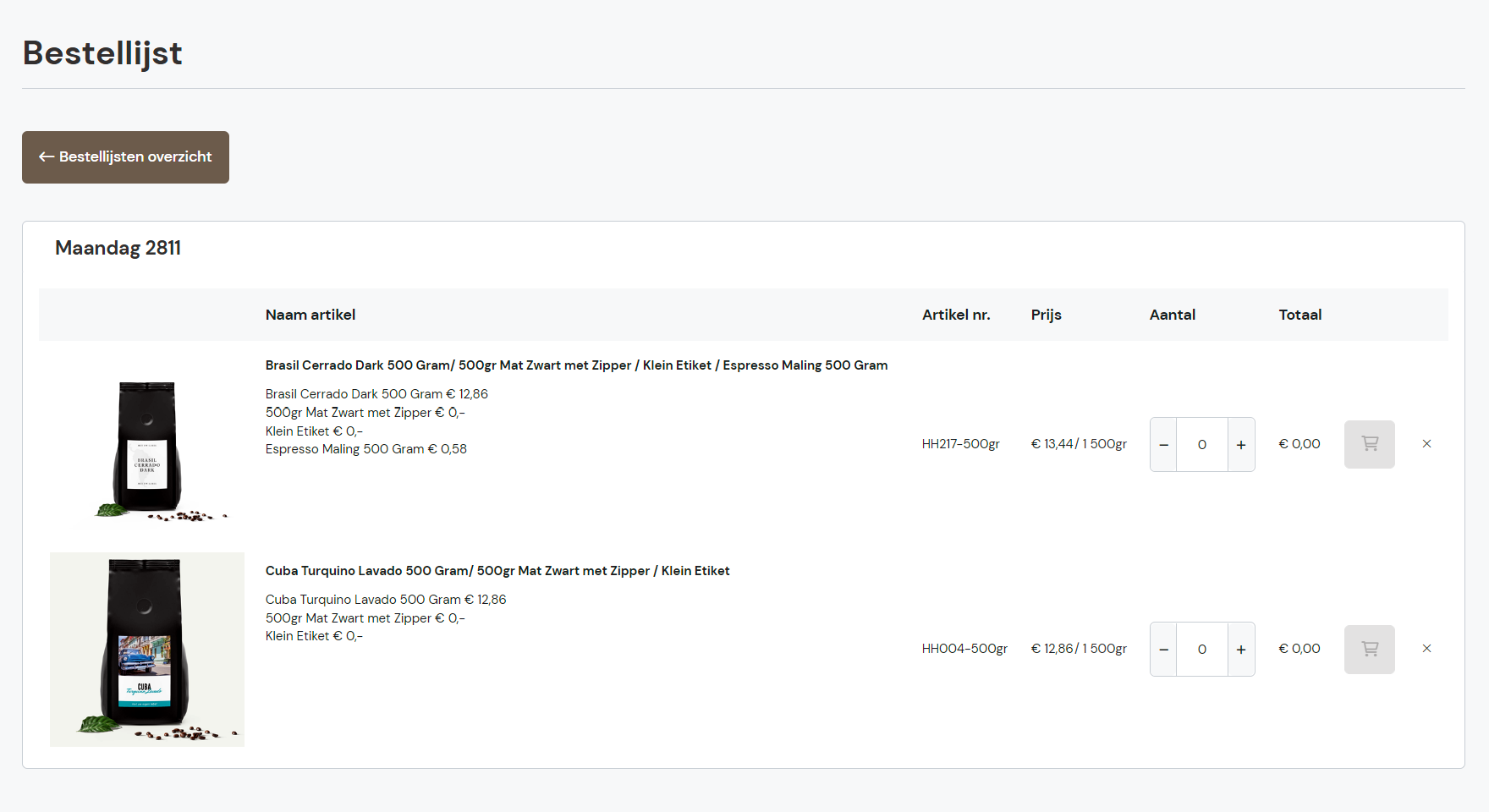
With orderlists your customers are able to store multiple lists for a purpose of their choice. This could be to have lists of articles that are ordered regularly, lists of articles that are needed for specific projects - and so on.

Related Article Groups Slider


Order lists now also support Product Bundles. This way customers can quickly re-order specific configurations they need regularly.
Exact Online: It is now possible to configure the Exact Online interface in such a way that a new articlenumber is derived for each of the price units of an item (article) in Exact. Each articlenumber and title of the derived articles are extended with resp. the code and description of the unit in the sale price. The derived articles are exported to Vendisto and to the shop. Since the customer is able to define options for each product variant (article) in Vendisto this enables the shop to display different options for each of the Exact item's price units. When placing the order in Exact, the derived articlenumbers are translated back to the original item and price unit.
The orderbutton would not be active whenever the article detail page was loaded with preselected components.
The layout of the accumulative discount information block on an article detail page has been improved.
It has been made possible to set what information in displayed in the account menu link in the editor. It has been made possible to display the username and user emailaddress in the account overview and in the customer data step of the order process.
Fixed synchronisation of AssetType when synchronizing assets in the legacy synchronization mechanism. This bug in some cases caused the logo on a product variant to appear as main product image.
The article page can now contain a slider that shows related article groups (so not onlt related articles, but the groups they are part of)
Fix for bug that caused an error to appear in the browser console when the dynamic content functionality was not configured.
The order mail recipient functionality (to, cc, bcc) as it was implemented in the old mail solution has been transferred over to the new mail solution.
Exact Online: Implementation of Exact Online sync/delete interface. The SalesPriceListVolumeDiscount records are needed for the generation of the pricelists for the ERP cache that is used for retrieval of price data by the shop. The old mechanism in some cases exceeded the API limits that Exact requires. The new sync mechanism reduces the amount of calls to the Exact Api and increase the speed of the generation of the pricelists.
For portal shops we export the article's image while replacing the original image filename with the articlenumber in order to prevent duplicate image names. Some ArticleNumbers however did not meet the requirements that Vendisto requires for the valid characters in a filename. These forbidden characters are now replaced by a dash characters in the image filename.
Added an extra null check to make sure the user management page doesn't crash when no authorization profiles are present.
The favorites list tried to display suspended articles, this shouldn't be possible and has been remedied.
The quantity input in the order list detail view would be disabled in some cases, this has been fixed.

Release 2022.09

September 2022

In the September release, we worked on raising code quality and on testing and checking the many extensions the platform has received in recent months. So, a brief pause to consolidate. A release without spectacular extensions, but with various measures under the hood that make the platform more pleasant to use and increase its reliability.

If configured in the UseInternalOrderNumberProvider configuration setting the REST Connector now uses the internal OrderNumberProvider.

Use of the internal OrderNumberProvider can be a solution if the ERP system cannot provide an ordernumber in a timely manner.

The OrderNumberProvider now supports a prefix in the ordernumber and leading zeros in the number part.
Fixed some problems that prevented showing the backorder overview in the account portal. Also any open orderlines are now considered to be backorderlines. This is done in the mapping of Exact Globe field values to shop order line states.
Fixed duplicate key error that in some cases occurred during cleanup of ArticleGroups in the synchronization process that is executed after article import
Fixed error that occurred when validating article import while checking on existing gtins with double presense of gtin in database
Changed the way ReturnUrl works when logging in to prevent some 404 pages from appearing when logging in.
- Fixed an issue with prices that are above 999.99 in the restricted order list.
Implemented cache buster for base_bundle scripts.

Release 2022.08

August 2022

This month was spent on further optimising the checkout process, with new features such as a minimum order amount, and advanced matters such as different handling of rounding for amounts including and excluding VAT.

One of the most appreciated features of the Shoxl platform is the Account Portal: the part of the shop where your customers get access to their data in the ERP system. Think of order status and order history. This much-used part of our solution has been thoroughly checked as part of our regular Quality Assurance process.

And finally, in August time was spent on extending Vendisto with new features for managing the types of relationships between products. Check it out!

Prices are now also hidden on the article group overview page if the article has a property that's in the GrossPriceBlackList setting.
Staffels will now always be used if the webshop staffel webshop setting is set on True ánd the webservice / Raven will give back staffels
It is now possible to skip the Delivery Selection Step if no Delivery methods are found. This means: no delivery will be connected to this order. Also a new resource has been introduced for this functionality: DeliveryOptionsUnknownButCanBeSkipped.
Created two new setting which replaces the old setting: ShouldRoundOrderLine
1) ShouldRoundOrderLinePriceIncludingVat
2) ShouldRoundOrderLinePriceExcludingVat
So we can now setup that we should only round the vat price or only the price excluding vat. This was not possible in the old situation.

More documentation can be found in the Settings manager tool.
With this feature it is possible to setup a minimum threshold amount value for the basket. An user is only able to order if the threshold is met.

If a shop uses prices including VAT, we would like to see the threshold price including vat. To be specific, if the setting Price.ShowPriceWithTax is set to True, In this case, the shop will automatically calculate the tax for the MinimalOrderAmount. So if you have a MinimalOrderAmount of 100 euros and the average tax is 21%, the shop will setup the threshold to 121.

In some cases this is not desirable; you can get a threshold value with a comma. If you do not want a calculated value you can setup the MinimalOrderAmountIncludingVat. In this case the shop won't calculate the MinimalOrderAmount with the vat but directly uses the MinimalOrderAmountIncludingVat.
Meta properties can now be shown and updated inside the basket layout. Some improvements to the basket update procedure have also been made.
The UI now has some more options to communicate to the user that the upload is being processed.
The page will no longer jump to the top after clicking the add to basket button. A minor issue in the selection ordering functionality has been fixed.
The order confirmation mail can now also display PBG images. A fallback to ArticleGroup images has been added for articles without an image.
Exact Online: Repaired recently introduced bug that prevented partial export of both ErpCache customer XML and Vendisto customer XML files.
Exact Online: Fixed bug that caused Exact interface to return a stock position with 0 in combination with a stock indicator code set to InStock
When the last selected filter option in an overview was deselected the entire page would be refreshed producing undesirable affects. This has been changed in such a way that the refresh no longer occurs.
Fixed a bug hat broke the filtering if the user would sort the page after selecting a filter option.
On the newsoverview page: The searchterm; the facet and the currentPage are now persistent after resorting the page
Some changes have been made to make the articlegroup detail page to make it less susceptible to errors while retrieving price information. A bug in the list sort logic caused by reserved characters in the searchterm has been fixed.

Shoxl offers the option to define the types of relationships that can exist between article(groups). Examples of retionship type are 'complementary' of 'alternatve to'. An interface to edit these relationship types has been implemented in Vendisto.
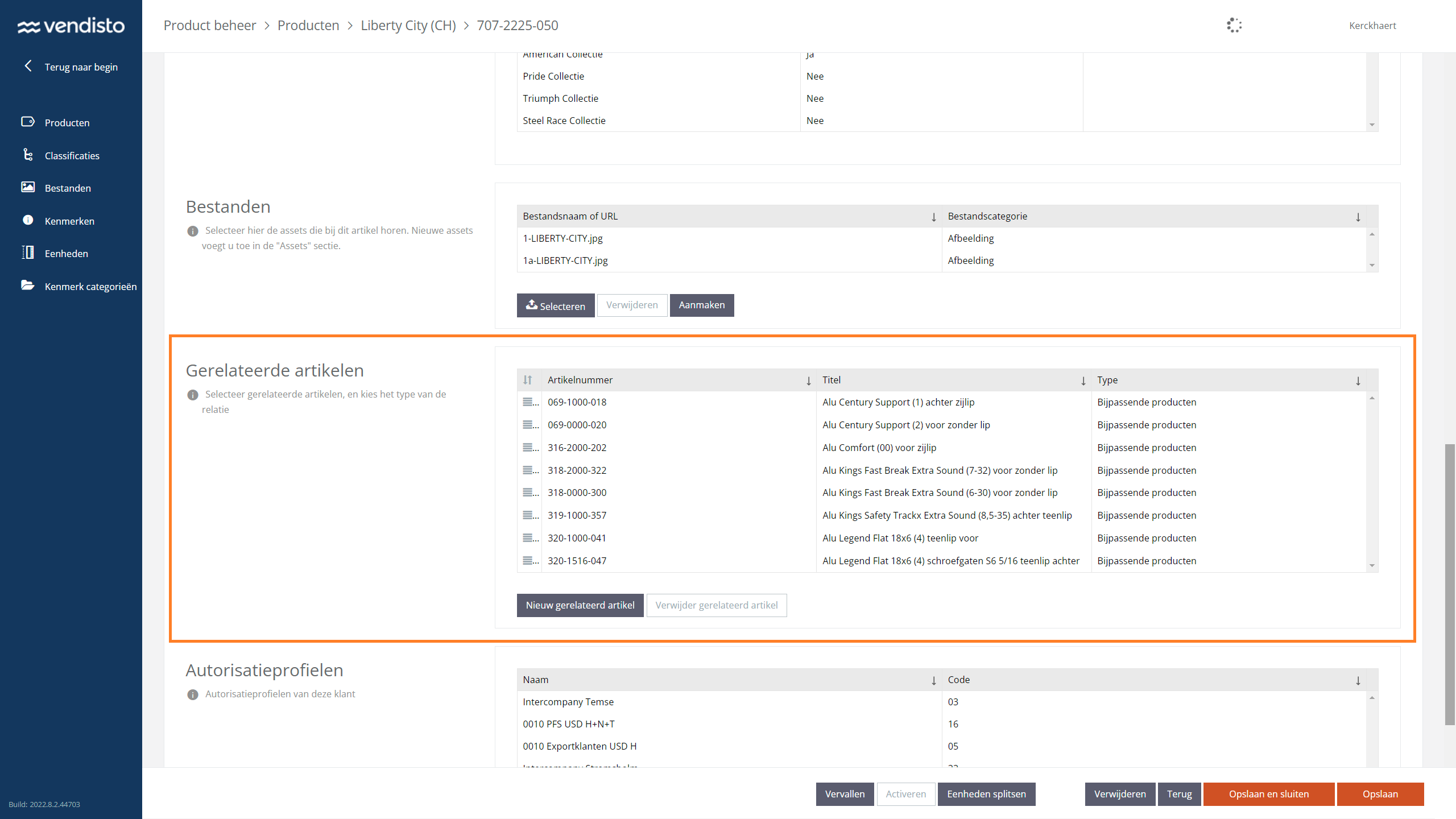
Management of Related Article (Groups)


Release 2022.07

July 2022

The focus this month was on the product (detail) page: the page that has to be convincing enough to make your customers press the order button. In the July release, this product page has been improved and extended in a substantial number of areas.

Once a customer decides to buy, the checkout process should be as smooth as possible. Every unnecessary action can lead to lost conversions. Among other things, the July release offers the ability to switch off the steps for selecting the delivery method and the payment method when these have already been recorded in the ERP system.

Also worth mentioning are the features added to the Exact interface. Shoxl now also supports the Exact "Invoice To" function, where the price agreements of the holding company are used when a subsidiary enters an order.

The shop already supported the possibility to place multiple CustomOrderFields on an articleDetail page. The VisibilityHeaders property has been deprecated and is therefore no longer used. The shop now looks at the 'name' of a CustomOrderField and whether the 'name' matches the Id of one of the properties of an article that custom field will be rendered.
The article selection wizard can now display the order list UI and the favorites button when there's a single article result and if one or both of these options have been enabled in the WebshopSettings
The crumbpath has been made available as e layout element for the ArticleGroup en Article layout. Using this layout element will lead to the default crumbpath not being rendered.
The article selection wizard now has an icon display mode which shows the value icons instead of the text.
Made sure the article selection wizard skips non-wizard parameters preventing faulty results.
Repaired an issue in the sorting of search results if the search results contains reserved characters.
When Payment Terms are agreed documented in the ERP system and Customers do not have an option to choose between payment methods the Payment Method Step is superfluous. It is now possible to skip the Payment Method Selection Step during Check-out.
Added the possibility to add costlines on an article. As well the possibility to add articles on an orderline.
The payment method selection page in the order process can now display optional text for each option. To enable this it has to be enabled in the WebshopSettings and the corresponding resources have to be added to the Raven database.
Exact offers the option to use the price agreements of a holding company when ordering as a subsidiary. This is known as the Exact "Invoice To" feature. In such cases Invoices are sent to the Holding the price agrements of the holding are used but the order is entered by confirmed to and delivered to the Subsidiary. The function is triggered by filling in the Invoice To filed on the Exact Customer card. This feature is now fully supported.
For situations in which customer-specific shipping methods are defined in the ERP it is unwanted to replace such agreement with the default ones as available in the shop.
Default shipping method is no longer added to the order when placing an order in Exact if not configured or if exact code is left empty. It is no longer required to define a mapping for a delivery method. The order will in such case fall back to the shipping method as defined in Exact for the customer.
The performance of a number of overviews has been improved by speeding up the retrieval of information stock and order information and by changing the way certain UI elements are being rendered.
Related articles now correctly use the "Position" field (from vendisto) to decide the order of the related articles.
The article selection wizard can now display the values in the various wizard steps in either the default order or in a natural sort order.
Fixed a bug in he properties list where a property value would be split into 2 separate string whenever a "" was presetn
The orderlist handled the minimum order quantity for articles in the list incorrectly this has been rectified.
The REST interface now supports Return Orders. If implemented and configured Return Orders will be displayed in de user portal.
Fixed duplicate key problem that occurred when importing articles with EnableArticleGroupSplitting import setting set to false (N)
Fixed bug bug that prevented the shop from getting the stock data from the ERP Cache in a hybrid webservice configuration where ERP Cache data and data from the realtime ERP webservice are combined.

Release 2022.06

June 2022

A new menu type for the catalogue section of your shop; new elements in the Shoxl layout language; new filtering options; well, too much to mention in this June release.

The common denominator of all the work: extending our layout language into a comprehensive toolkit that allows the most complex page layouts without requiring custom development. Upgrading the Shoxl Core to the latest standard therefore always remains possible without rebuilding.

A solution that is fully tailored without the drawbacks of custom development: who wouldn't want that?
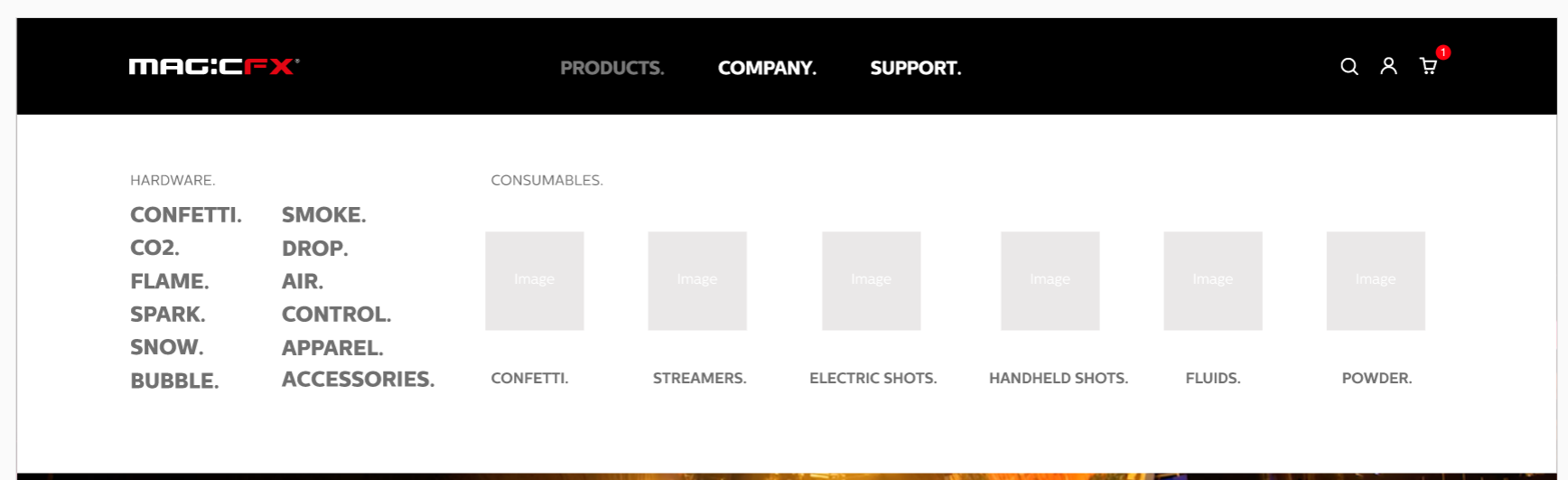
Mega Menu Element of Layout Language


The Mega Menu is a new element in the layout language, which can be added to the Header Section.

Of the menu items only the item which is linked to the product catalogue will actually expand. The other items will be normal links.

The element has the following properties:
  • CatalogueIsClickable (bool): can be clicked on "products" (for navigation). Default: false.
  • CatalogueCustomLink (string): A custom link (in combination with `CatalogueIsClickable = true`) that will be navigated to. If empty, the default will fall back to the standard catalogue page. Default: empty.
  • DisplayTypes (array): An array containing all top-level classifications to be displayed, and how the child classifications should be displayed. Each top-level classification will be a json object containing the following properties:
    • ClassificationId (string): The ID of the classification.
    • DisplayType (int): How the child items should be rendered. This number will map to an enum. Possible values at the moment: 0 = list, 1 = images.
The main menu of type "MegaMenu" now hides dupllicate items, meaning that a child items menu containing just 1 items with the same name as the parent will no longer be displayed.
Added StaticLists to CategoryPage, news detail page, news overview page and the basket overview page
Implemented a new "GrossPriceBlackList" setting. This setting will hide the gross price from visitors that are not signed in, based on an article property. All articles that have this property with a value that's defined in this setting, will have their gross prices hidden from visitors that are not signed in.
The category title will be displayed instead of the name if the title has a value. If no value is present the name will be displayed.
The article selection wizard now supports 2 different behaviors: strict mode and flexible mode. In flexible mode, it is possible to select properties that have become unavailable with a chosen value for another property. If an available property is selected, all values of other properties that are not available anymore will be deselected.
The performance of the shop, and specifically the ArticleGroup page has been improved. Aim of these improvement was the shortening of page load times.
Bug fix, the fast sync did only support images type and not documents. From now on, the document mimetypes are supported as well
It is now possible to add optional page titles to the order step pages, the title will be displayed above the payment step indicator.
The autocomplete didn't work for shops using authorization, this has been fixed. Another issue was that sometimes the wrong image would be displayed in the results, this has also been fixed.
Introduced extra settings in the Exact Interface in order to convert the tax percentage from Exact to the VAT code that the grossprice XML interface defines.
Portal: The Exact interface can now be configured with an export language. If a translation of an item description is available in the configured language then this translation will be exported as the article's title in the Portal.
An option has been added to the number of units within a package unit, e.g. the number of articles in a box. This value is shown throughout the shop and all communication. The communication protocol with SAP had to be changed to accomplish this. ,Kristian Jacobs
Article Excel Export in EZ-base format. The EZ-base export format is only selectable in Vendisto if the customer has the EZbaseExport license. If the EZ-base export format is selected then the options to export suspended or deleted articles are no longer available. Only active articles will be exported.

Release 2022.05

May 2022

With the introduction of Custom Content Blocks, the May release offers even more layout freedom. Custom Content Blocks can be placed freely on catalogue pages and are managed in Vendisto. And that is not the only gain in terms of layout in this release: the layout options have also been extended for product tables, the shopping basket and news pages.

The Shoxl toolkit for defining pages that are fully customer-specific, without having to program a single letter and without having to make any concession on maintainability, is thus becoming ever more complete.
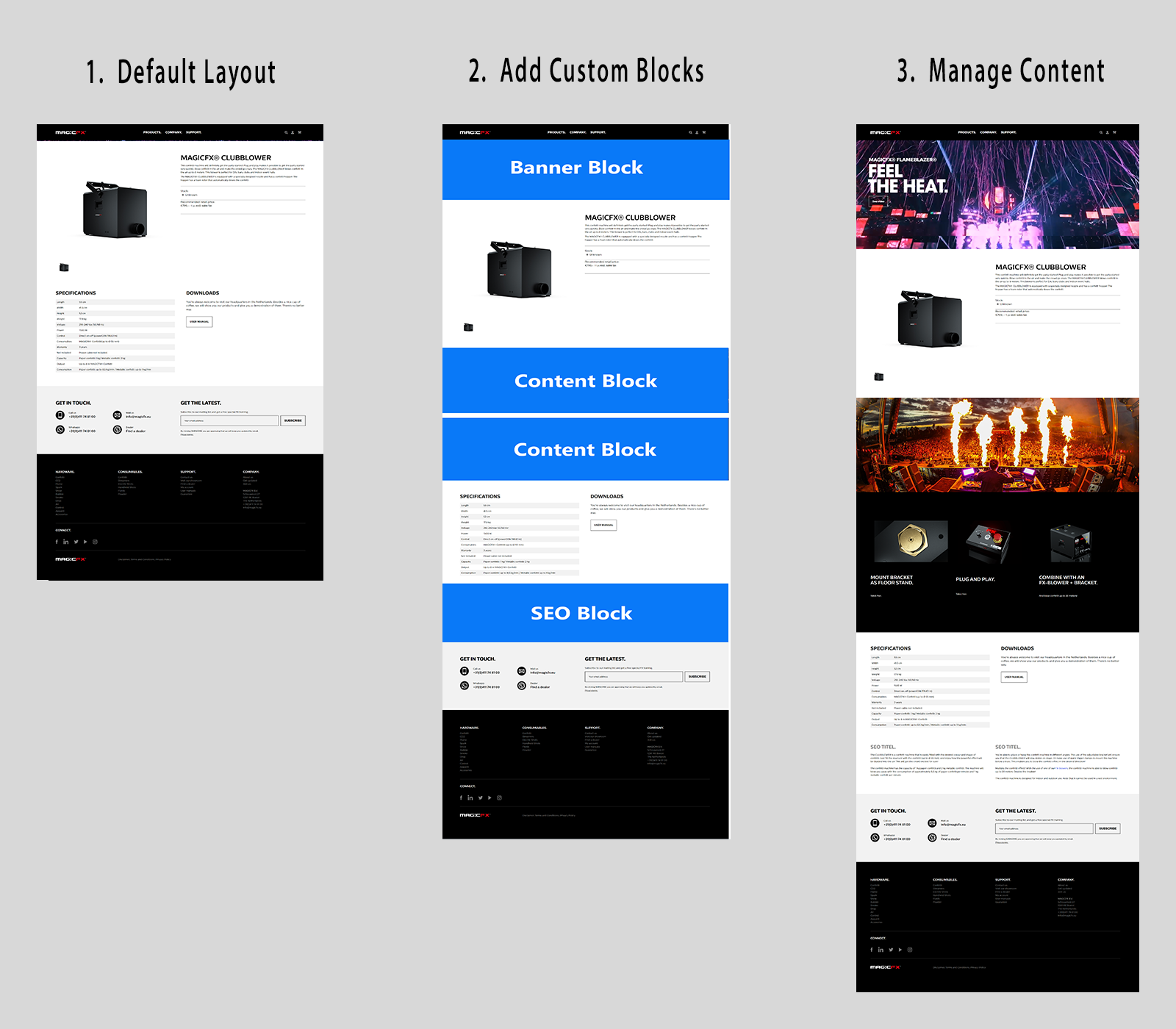
A new solution has been implemented enabling the addition of custom tags to the layout of categories, articlegroups and articles. An unlimited number of tags can be configured. Each tag can be given HTML content in Vendisto, either in the Vendisto UI or via a new import/export. The tags can be placed anywhere in the Layout of category, articlegroup and article.

Custom Content blocks


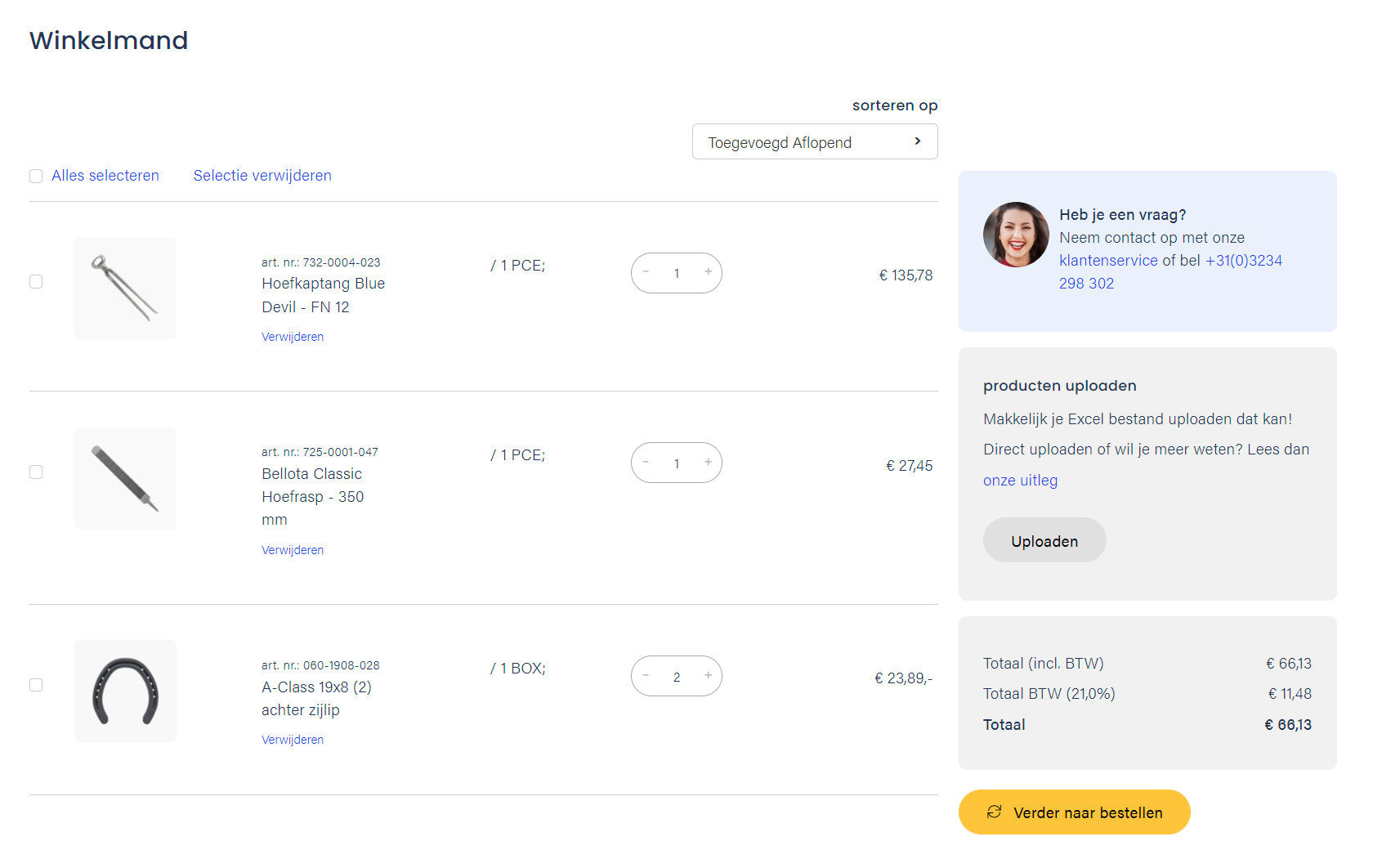
The layout of the basket page can now be changed via the LayoutSettings. Blocks can be moved around, and the option to use more columns to position content items has been added.

Custom Content blocks


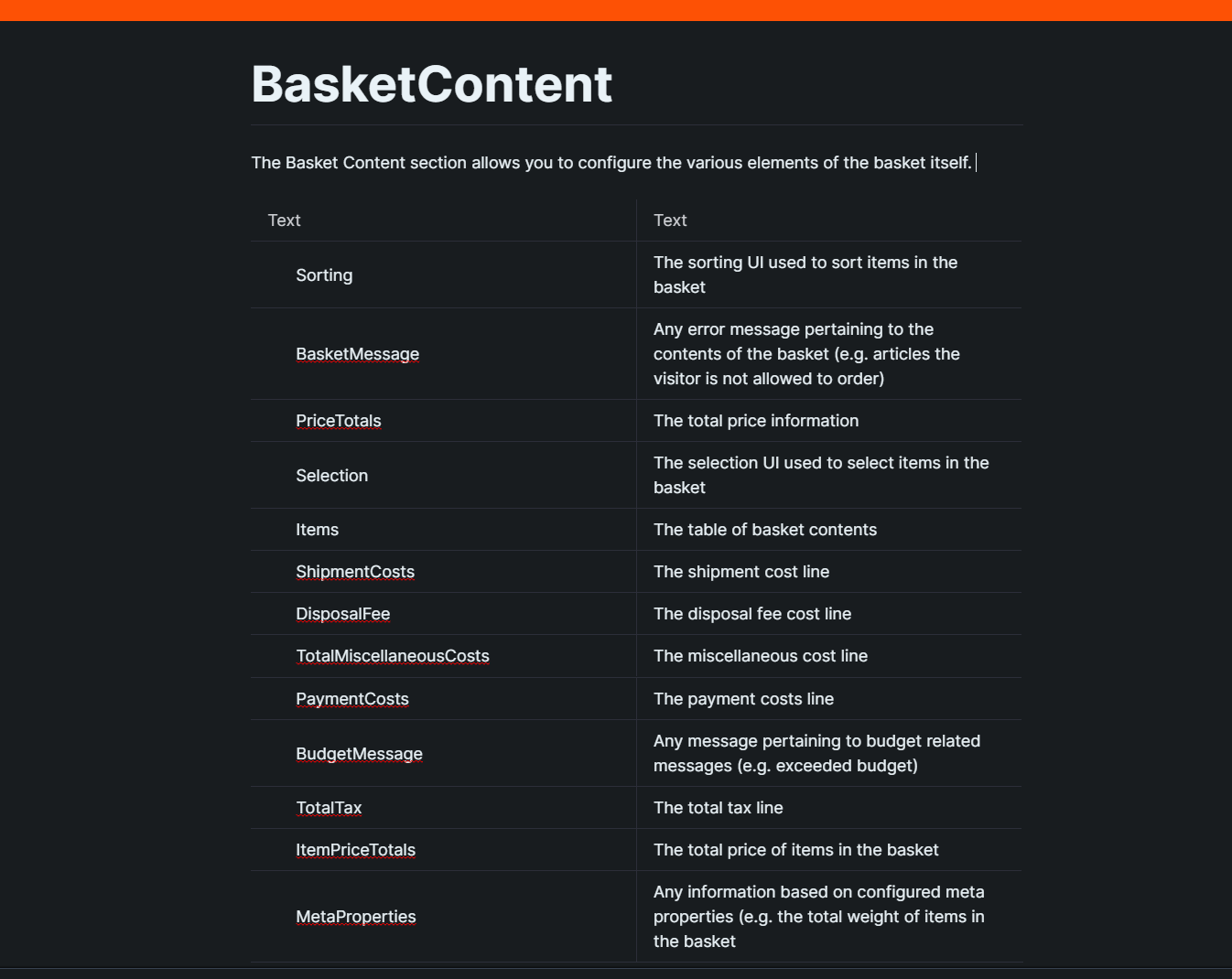
Furthermore the basket itself can be fully configured through the layout language, for which purpose new elements have been added to the syntax.
Custom Content blocks


Created a new MollieSetting: SendPaymentMethodToMollie. This default value of this setting is True.
True means: We will send the selected paymentMethod to Mollie
False means: We won't send the selected paymentMethod to Mollie. The user has to select a payment method in Mollie
When clicking the plus/minus buttons in the order UI the entire quantity UI will be disabled until the call has been handled and returned a result to the UI.
A mobile-specific display for shops using the new layout for the user menu has been added. This new display consists of a button opening a dropdown menu containing all the account options.
The Youtube video player has been replaced by a more modern implementation with support for responsive screens. This new player also supports the standard Youtube controls for a video.
In some cases the items in a saved basket would be duplicated every time a user would log in again. This issue has been fixed.
The import of grossprices now uses the bulk facilities of RavenDB resulting in an more efficient import process. Changed internal structure of the price model of the shop in order reduce data load.
The RavenOrder and the External email do now have a fallback for the user name if the name is not available. If not available, it will retrieve the customer name
Delivery costs and disposal fee will now get it's own product number. In the past the create order did not create a product number for disposal fee/delivery costs
Added OrderLineType to OrderLine on OrderHistory. This enables users of the ErpCache to display shipping costs in the Order History of the account portal.
Changed custom transformation of ErpCache CSV to XML file in order to fix unexpected cleanup after importing partial ErpCache PriceList file.

Release 2022.04

April 2022

A release for lovers of the nitty-gritty details: that is the best way to describe the April release. The release includes a multitude of small functional improvements and extensions. Examples include the ability to now also add cost components to item lines (very useful for disposal fees), a new layout for filtering on mobile devices, the ability to spread product characteristics across multiple columns, the ability to work with multiple order lists in the customer portal....

And more things like that. Small things that you will enjoy a great deal in practice, because as they say: "the devil is in the details".

The possibility to define costs per OrderLine has been added. This information will be added to the basket by the CalculateOrder functionality that was added in an earlier release. Any costs will be displayed in the article itself in the basket and as a total in the calculation in the bottom of the basket.
The display for round prices was inconsistent as a result of price rounding issues, this has been fixed.
A new article layout element has been added enabling the configuration of a properties table on an article detail page. The number of columns and the read direction can be configured for this new element.
The price logic has been improved by the introduction of a separate field for the amount with which the quantity of an article can be incremented. br />
Several small technical improvements have been made to the order UI and the CSV upload logic.
Added the user menu to the csv upload confirmation page, changed the way the user menu is loaded on the csvupload page to bring it in line with the other account pages.
Fixed an issue that caused the "select all" to be unresponsive on a basket refresh (after changing the basket)
The breadcrumb path can now be displayed for non-classification pages like news, wiki and structure pages. This is an optional feature to maintain backwards compatibility.
Fixed an issue in the list scripting that caused issues when multiple lists on a single page where being used.
Fixed an issue that caused the favorites page to display an error message.
The favorites list had some issues when using the new layout options. These have been fixed. An issue where the price couldn't be displayed in some cases has also been fixed.
A failing order for passer by users lead to creation of multiple equivalent accounts in Exact. This behaviour is changed to just one account.
When checked, the "Delete not imported properties" checkbox at the article import now deletes the not imported properties. Due to a bug this was not the case.
Fixed unknown error that in some cases occurred during the validation phase of the import when importing customers in Vendisto.
A memory leak in Vendisto has been plugged, resulting in better performance and a slightly better initial load time.

Release 2022.03

March 2022

With the completion of the implementation of our Layout Language, we reach a fine milestone in the March release. In this language we describe the structure of the pages you find in the shop. Think of a product page, or the shopping basket page.

As of the March release, all page types are now covered by this language and can therefore be configured flexibly. Need an info block somewhere? A list of related product groups? Want to show certain product properties grouped together somewhere? With the new layout language, all of this is no more than adjusting a page description. In short, virtually unlimited possibilities for our Enterprise customers.

On the integration side, the focus this time was on details, such as fully aligning our shop calculations with the VAT calculation and rounding method in Exact. It goes somewhat against our architectural principles, but sometimes we cannot avoid duplicating some ERP functionality in the Shoxl platform. When it comes to VAT and rounding, every ERP package has its own approach, and it is almost never clearly documented. But, in close consultation with Exact, we are now fully aligned again.

The ArticleGroup detail page now can be configured with a flexible values overview displaying all the property values of all the articles in the ArticleGroup. The values will be displayed as a comma separated string in the table.

The number of columns in this overview can be configured. It is also possible to set how the columns will be rendered. You can choose between from left to right and column by column (default).

When the article selection wizard is being used the option exists to let the wizard result filter the values being displayed in this overview. Selecting a value in the wizard will result in property values no longer applicable disappearing from the list.

The core shop now support layout settings for the category pages. This layout can be defined in the Raven database.
After adding a selection from the favorites list to the basket the feedback defined in the WebshopSettings will be displayed. All selected items in the favorites list will be unselected after adding them to the basket.
Delivery country code has been added as optional parameter to the function Calculate order.
Payment discount rules would remain in the basket after placing an order while rules like that should be removed at that point. This issue has been fixed.
The order(line) / basket(line) calculations have been rewritten so it can round on orderline level on both tax as ex tax level.
Payment discounts are now calculated correctly.

Created two settings for correct order(line) calculations:

1)ShouldRoundOrderLine
Round the orderline instead of the whole order. The rounding precision has to be setup in the setting RoundingPrecision. If the RoundingPrecision is not setup, the setting will work but with it's default value five.

2) RoundingPrecision
A number between 0 and 5. This number will stand for the rounding accuracy on orderline records.
Works only if the setting ShouldRoundOrderLine is activated.

A third setting has been made so we will not get the payment provider price from Vendisto
3) UseWebserviceAsDataSourceForPaymentProviderPrice
Defines where the order price should come from for the payment provider. This setting only works when using the webservice mode 999
True = We will do a request to the webservice to retrieve the order price. This means, it can go to the ERP or Vendisto
False = We will get the order price from RavenDB
The selection interface allows users to selects a subset of the Favourites List, and Add the selected items to the basket in one click. This selction interface can now be anabled and disabled.
Added a setting to show or hide the header user menu dropdown. When the dropdown is hidden, the user will be directed to the account overview page.
Fixed a bug that caused the favorites list to show an error when the list contained a product without a price.
Fixed an issue that caused the quantity selector in the favorites list to have a wrong initial quantity, which was sometimes lower than the minimum order quantity.
The CSV upload from the account page now uploads a selected CSV file immediately, the separate upload button has been removed.
Implemented the option to filter news on facet or a search string, or sort news by title (alphabetical) or publication date.
The contact information as entered on the delivery alternative address in the shop is now translated to a contact in Exact Online and coupled to the delivery address of the order. Next to name also the email address and phone number are stored in to the Contact.
Added UnitField setting to Exact Batch Interface. This setting defines which field (Code or Description) of the Unit is to be exported in the Gross Prices and ERP Cache PriceList and CustomerPrices XML.
If this functionality is configured in the settings of the Exact Batch Interface, the article (item) images that are uploaded in Exact Online are now exported in a (set of) Asset_Image.zip file(s) next to the Article XML export.
These assets are automatically imported in Vendisto and made available as article images in the shop.
The "extra description" field of the item in Exact Online is now also exported to Vendisto and can be found in the Description field of the product variant. The export of the extra description only works if this is configured in the settings of the Exact Batch Interface.
Fixed error that occurred when creating account in Exact Online for a passerby user. If the Exact Batch Interface is configured to create accounts for passerby users, the interface will now create a new account per order.
Added import settings ArticleGroupDefaultTitle and EnableArticleGroupSplitting to the article XML import.
The ArticleGroupDefaultTitle can be set to Undefined (this is the default value) or to ArticleNumber.
If set to ArticleNumber this setting specifies that for new articles the ArticleNumber will be used as the title of the ArticleGroup when creating an articlegroup for the article if no Title element is present on the ArticleGroup XML.

If EnableArticleGroupSplitting is set to to Y (default value N) the article import requires that all of the articlegroup's articles are present in the article group node in the XML import. Articles that are not present in the node will be split from the articlegroup after updating the article.

The default behaviour of this setting will in most cases be the expected behaviour. Leaving this setting tot N will enable the update of a single article with XML coming from the ERP without splitting the article from the articlegroup.
Implemented DeleteNotImportedProperties as extra setting for article import. The settings is used in both article XML import as well as article Excel import. An extra checkbox was added to the article import view in Vendisto. The checkbox "Delete not imported properties" is default not checked.

The default behaviour of the article import used to be to delete all not supplied properties from the database. From now on this is only done if the "Delete not imported properties" option is checked or if the ImportSetting "DeleteNotImportedProperties" is set to "Y" in the article XML import.

It now is also possible with the Article XML import to update an article property without having to give the article group name. The Article XML import behaved different than the Excel import.
The customer's incoterm that can be shown in the user portal contained a three character database limit. The field's limit is increased to 255 characters.
SAP will now return the CurrencyCode in an order. The shop has been changed so it will sent the currency code from the order instead of the setup currency in the shop. If the order does not have a currencyCode we will fallback on the currency which is setup in the shop
Articles that have a discontinued state in EZ-base are now set to LifetimeState Active instead of to Suspended when beïng imported into Shoxl.
Added Currency and Incoterm fields to customer Excel import. The fields only appear in Excel if the currency and incoterm licenses are configured for the Vendisto user.

Release 2022.02

February 2022

The shortest month of the year, but that is in no way reflected in the number of new features in this monthly release. We count more than 30, most of them in the shopping and portal modules.

In this release, the checkout process has been given a thorough overhaul. We see new options here such as bulk editing of the shopping basket and adding additional information at order line level, but also improved performance, so that shopping baskets with several hundred order lines can be processed without problems.

As announced last month, we have also been working hard on completing our work on the ordering portal. It now has a fixed menu on all pages in desktop view, and a dropdown on mobile platforms. In addition, it has become possible, for example, to make a selection from the favourites list and add it to the shopping basket in one action.

On the integration side, the focus was again on Exact Online. The interface with this package was already in excellent shape, but has now been extended further with a number of advanced settings. In addition, the interfaces to SAP and Exact Globe have been extended on a few points.

The basket can now display an item selection interface. This interface consists of checkboxes per item in the basket, a select all and a remove selection option.
The basket now has the option to display a sorting interface. This interface displays a dropdown with some default sorting option (date added, name, articlenumber), both ascending and descending.
The shop can now display text fields with specific articles. If the text field is active in the shop it will enable a shop user to provide specific extra information with an article. This extra information will be passed to the back-end in the OrderLine information.
The checkout process pages can now optionally omit the left column (containing the basket summary). In Shoxl shops it is not uncommon that orders contain 100+ order lines. In such cases this summary is not very handy.
Phone and email will now be posted as well do Delivery Match even when you are signed in. This was not the case in the past
Fixed a bug that occurred when the shopping basket with a large number of different articles (over one hundred) was retrieving prices from Vendisto.
The filter functionality can now show the active filter options above the article group overview in the form of small containers. The containers contain the selected option value and a button that can be used to unselect the filter option.
The Shoxl Layout Language defines the content of pages. On the basis of the Layout Document which is written in this layout language the page HTML is generated. It is now possible to also define the news overview and news detail pages in this document. Previously News Overview and News Detail Pages were based on fixed templates.
Added checkboxes to the favorite list to allow bulk actions such as adding to basket or removing. Previously only a single article or the full list could be added to the basket
The order portal section of Shoxl shops now shows a menu in the left column. The contents of this menu can be selected out of the available options for the accounyt section, grouped, and customized. This is all handled by the Shoxl Layout Language.
Added a layout setting that controls if the left user menu should only be shown on the account overview page, or all account pages. Hiding this menu is useful for, for instance, order history pages that contains many colimns and need page full width.
The portal shows placeholder images for all products without images. These images are served and produced by an external service. Due to an insecure connection to this service, the images were not always returned by the service, causing a "missing image" message.
Fixed an issue that caused prices to keep loading in the favorite list on small screens
Added optimalization of certificate variables used during in deployment process. hopManager was modified so future shops will also adopt this change in their deployment configurations.
In order to improve speed and reduce the dependency from external providers, resources that are used by our shops (such as font awesome) are now moved to the Cloudflare CDN.
The Exact Portal Edition enables the user to classify articles in a a 1-level deep classification in Exact online using a defined Assortment in Exact. Each article's selected classification is exported to the Shoxl shop by the Exact Batch Interface.
The customer import now validates the lengths of the customer address fields in order to avoid database errors. An example of a condition creating an error: Exact allows 20 characters for postal codes, thus supporting codes like '80023 Caivano', while the shop only allows 12 characters for this field.
Fixed serialization problem when importing XML export files from Exact Online, caused by the Exact export not adhering to the Exact XSD. Fixed a bug in the mechanism that ensures that the Exact Batch Interface interface respects the API request limits.
Due to a new generic implementation of customer price calculation, both a discount price and the first level of a quantity discount table were shown in the article table price column. This has been corrected.
The Incoterms or International Commercial Terms are a series of pre-defined commercial terms published by the International Chamber of Commerce (ICC) relating to international commercial law. They are widely used in international commercial transactions or procurementprocesses. If applicable, the Incoterm description is now shown in the Account section of the Portal.
The Shoxl Webservice now supports a hyrid connector configuration.

This enables for example the webservice to use the ERP Cache caching layer for Invoice and Order history as well as the Shoxl REST interface for realtime Product information.

The mechanism supports the Account, Order, Price, Product and Stock dataservices as well as the ErpCache, Shoxl, ShoxlRest, Stem and Veldmans connectors.
OrderSuccessful is now set to true for successful placed order when using SmartLynx connector in Shoxl Realtime interface.
Replaced SmartLynx DataRequest from GET tot POST method. This solved an error that occurred when deserializing the DataRequest response.
Orderlines can now contain additional information, added by the customer to specify elements such as color charts name for paints, or texts to be printed on clothes. For this purpose we have added a CustomOrderFields field on OrderLine to REST API definition of the PlaceOrder Webservice. This is documented in ShoxlRestApiSwagger_v4.json.
Static lists show the products that are added tot the list in the position the list is added in the Page Layout. The Vendisto interface to position these items has been improved.
The Static List functionality has been extended to support other item types. A static list can now contain: articles, article groups, categories or a combination of those three items. It can also contain one free HTML block. These items can be shown in a slider or in a container containing a fixed number of blocks.

At this moment static lists are supported on the following pages: HomePage, ArticlePage, ArticleGroupPage. In the near future this feature will be added to Category pages also.

Release 2022.01

January 2022

January 2022: a good month for the account portal, which could finally get the attention it deserves again. An improved menu with more attention to the mobile version, new components such as a page for uploading CSV files, new features such as sorting the favourites list by date added, a substantial number of small improvements... Well, take a look for yourself.

And "be warned": we are not going to leave it at this. In February we will carry on undeterred with extending this portal until we really would not know how to make it any better.

In the meantime, we have also been busy with our Portal Edition for Exact Online, which we have given a completely new look. We are proud of it, so we would love it if you took a look at the result. Make an appointment for an online demo so we can see whether our enthusiasm is justified. (Don't tell anyone, but throughout February we also have a nice introductory offer.)

Another topic that kept us busy in January is the checkout process, where we made a substantial number of small improvements. It may all be less eye-catching, but the continuous improvement of our e-commerce platform is an important foundation for our success and yours.

The account portal offers customers direct access to their data in the ERP system, such as order status and invoices. It also helps them in the ordering process, e.g. by providing access to favorites lists and upload CSV-files to quickly fill the order basket.

The favorites list can now also be sorted by a dropdown selection. Furthermore the option to sort by date added has been added to the options.
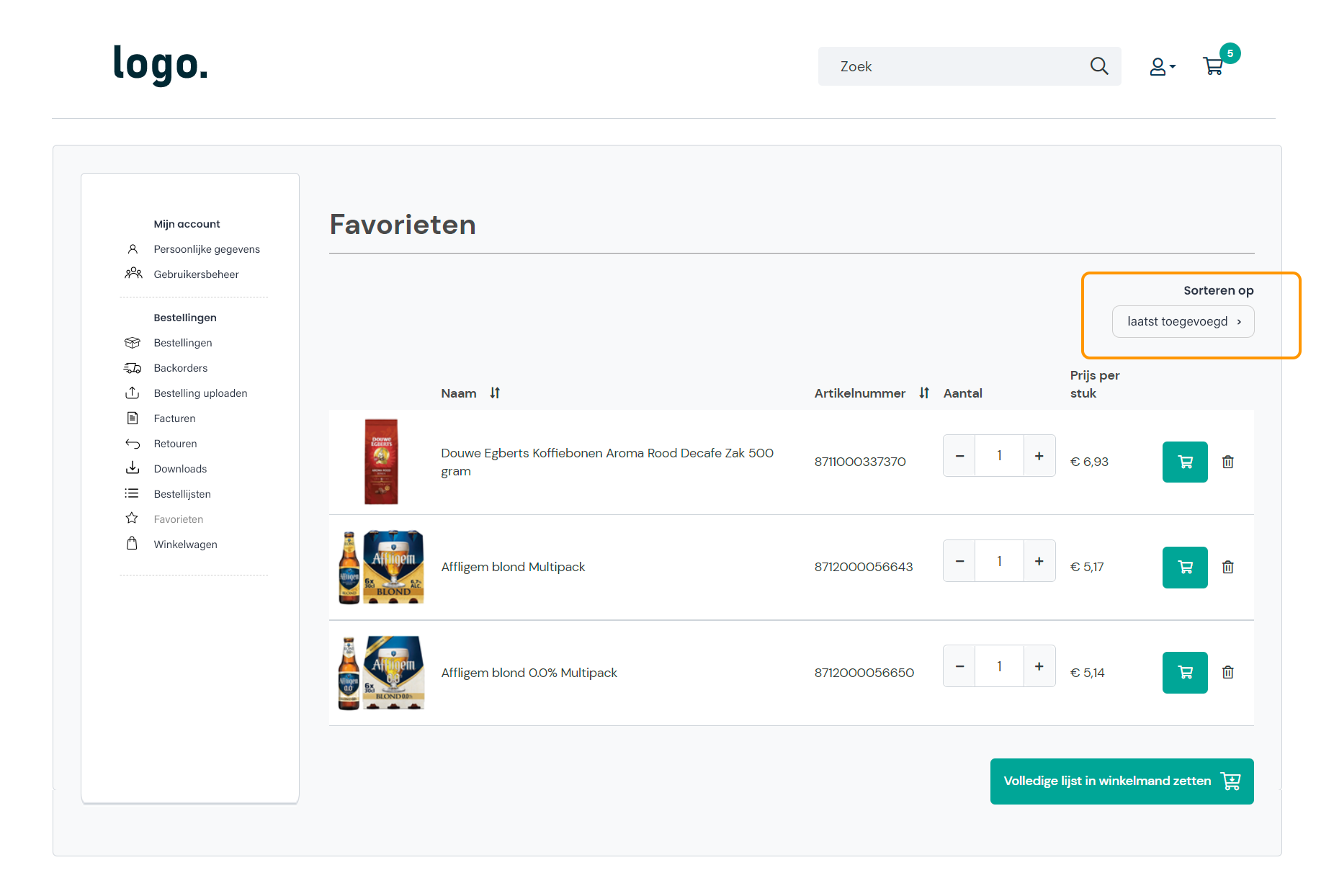
 class=

The CSV basket upload functionality has been expanded with an overview that will be displayed after the upload and before the add to basket step. In this overview the uploaded article list can be edited (remove and change quantity). The overview also provides feedback about articles that can't be ordered (e.g. due to stock issues).
The shop now contains a default page that acts as a portal to the CSV basket upload. This page also provides a tutorial for the usage af the CSV basket upload functionality.
The Incoterms or International Commercial Terms are a series of pre-defined commercial terms published by the International Chamber of Commerce (ICC) relating to international commercial law. An optional Incoterm element was added to the Customer XML import. This information is shown to the user in the account section of the user portal.
Fixed the mapping for Open state of both order and orderlines. This state was shown in the shop as Unknown.
As part of this change the GetOrderHistory webservice was also extended with an OrderState field in order to be able to show order state in the overview.
A bug in the Orderstate mapping of the ERP Cache database caused the order history in some cases to fail. The problem was fixed.
The basket can now display an optional text above the basket contents. This text is only visible if provided in the resource overrides.
Article pages now have the delivery date already filled in if the user navigated there from a filter page that had the filters set to a specific delivery date
The payment costs calculation contained a bug that caused the calculation to return the wrong amount due to a tax check issue.
Payment methods can be linked to discounts; e.g., paying through iDEAL might lead to a 2% discount on an order total. The payment cost orderline however would only display costs abovve zero, so no discounts. This has been fixed.
The combination of a customer invoice address in the (EU) country of the supplier (VAT required, and a delivery address in a non-EU country such as Switserland, would lead to VAT incorrectly being added to the amount charged via a Payment Service Provider.
Pickup point information was missing in the order message (sent to the ERP system and used for the order confirmation message), and also not shown in the shop back-office system Vendisto. This information has now been added.
When a user address does not include a (last)name, the orderservice will now use the (last)name of the main contact person of the customer organization.
In de settings of the Shoxl to Exact Online connector it is possible to define a Payment Condition to be added to the order which depends on the selected Payment Method in the shop. This mechanism was failing when being partially configured.
The improved behaviour is that in case of an unconfigured Payment Condition for the Payment Method, the order will simple contain no Payment Condition. In Exact the Payment Condition will default to the one that is specified for the Customer.
An optional Currency element was added to the customer import XML format. This element can be used by the shop to predefine the users currency in the shop, for instance when changing currencies is not allowed.
Fixed NullReferenceException that occurred when STEM interface did not return price. Article without price is now removed from basket after restoring basket on login.
When a user in the shop has an order budget, the App must show the remaining budget and show a warning when this budget is exceeded. This part is now available in the app.
The languages of Vendisto will now cached for one hour by default.
The cache time can be changed by the following web.config settings:
vendisto:TranslationProviderCacheTimeoutSeconds
vendisto:PollingInterval

This change will improve the global import performance by 40%

Release 2021.12

December 2021

In December we were pleased to welcome a new member of the Shoxl family: Shoxl for Exact Online Portal Edition. The Portal Edition extends Exact Online with an ordering portal. Customers order online and have insight into their order history. A win-win situation, then: a more efficient and cheaper sales process, and even higher customer satisfaction than you had already achieved.

Did you know that visitors who search on a B2C website generate up to 5 times more revenue than non-searchers? And that their average order value is higher as well? In a B2B shop this will be somewhat more nuanced, but there is no doubt that the quality of search facilities is important. With the Elastic Search integration, a more visual form of search is now also available for Shoxl shops. And that is not all: we are also working on a "native" extended search, so stay tuned!

On the integration side, this month's attention went mainly into extending the connection with Exact Online, in connection with the launch of Shoxl for Exact Online Portal Edition.  But there were also various small improvements for SAP, Anzio and Dynamics.

Shoxl for Exact Online Portal Edition is our new entry-level edition for companies that want to extend their Exact Online installation with an Order Portal. The Order Portal enables customers to order online, facilitates quick and repeat ordering, and to view order status and order history. Portal accesss and product catalogue management is fully managed in Exact, without the need for for plug-ins and the likes. The Portal itself runs cloud-based in its own instance, so no local installation necessary.

The Portal Edition therefore is an out-of-the-box, easy to install and manage, powerful and affordable extension to Exact Online. More information on this Edition can be found here.
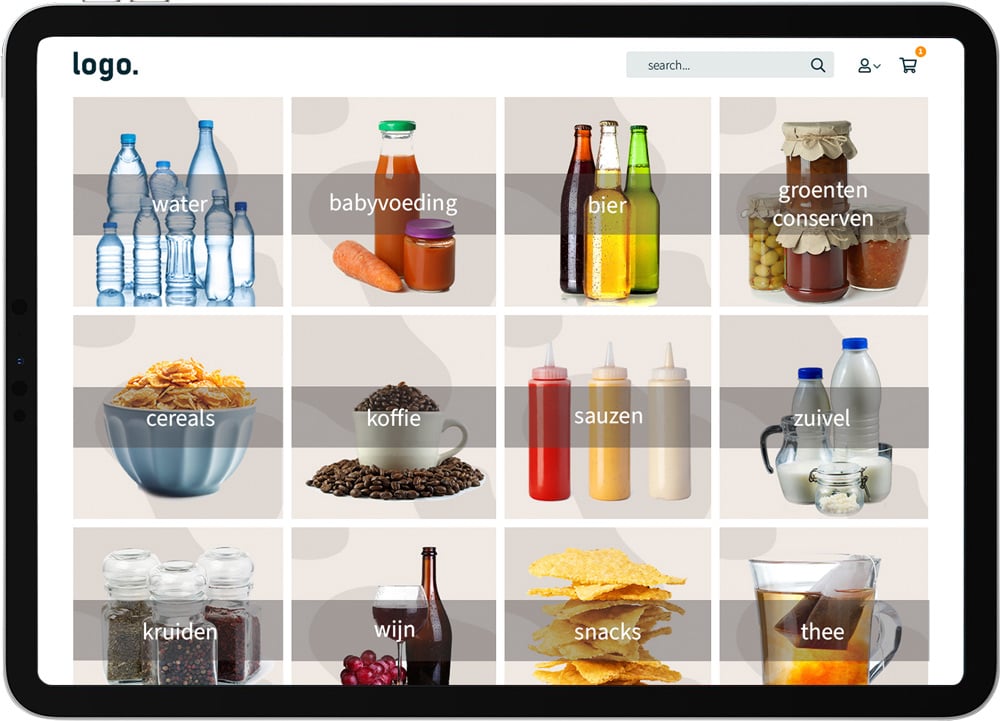
 class=

Shoxl now interfaces with ElasticSearch through Swiftype, a commercial onsite search engine built on top of the Elastic platform. Through this integration, searching a catalogue can now result in a dropdown showing both images and textual search results.

This allows for a more visual type of search (of course, depending on the availability of useful product images). The dropdown will be populated through auto-completion; so every character that is added will change the results set towards a set of of products that more accurately match the search expectations.

ElasticSearch is part of the Elastic Stack: a cloud-based search and analytics engine. ElasticSearch enables the creation of a leading search experience. The tool comes with robust analytics and tunable relevance controls. Users can influence search results by setting weights and boosts, and can promote or hide specific search results.
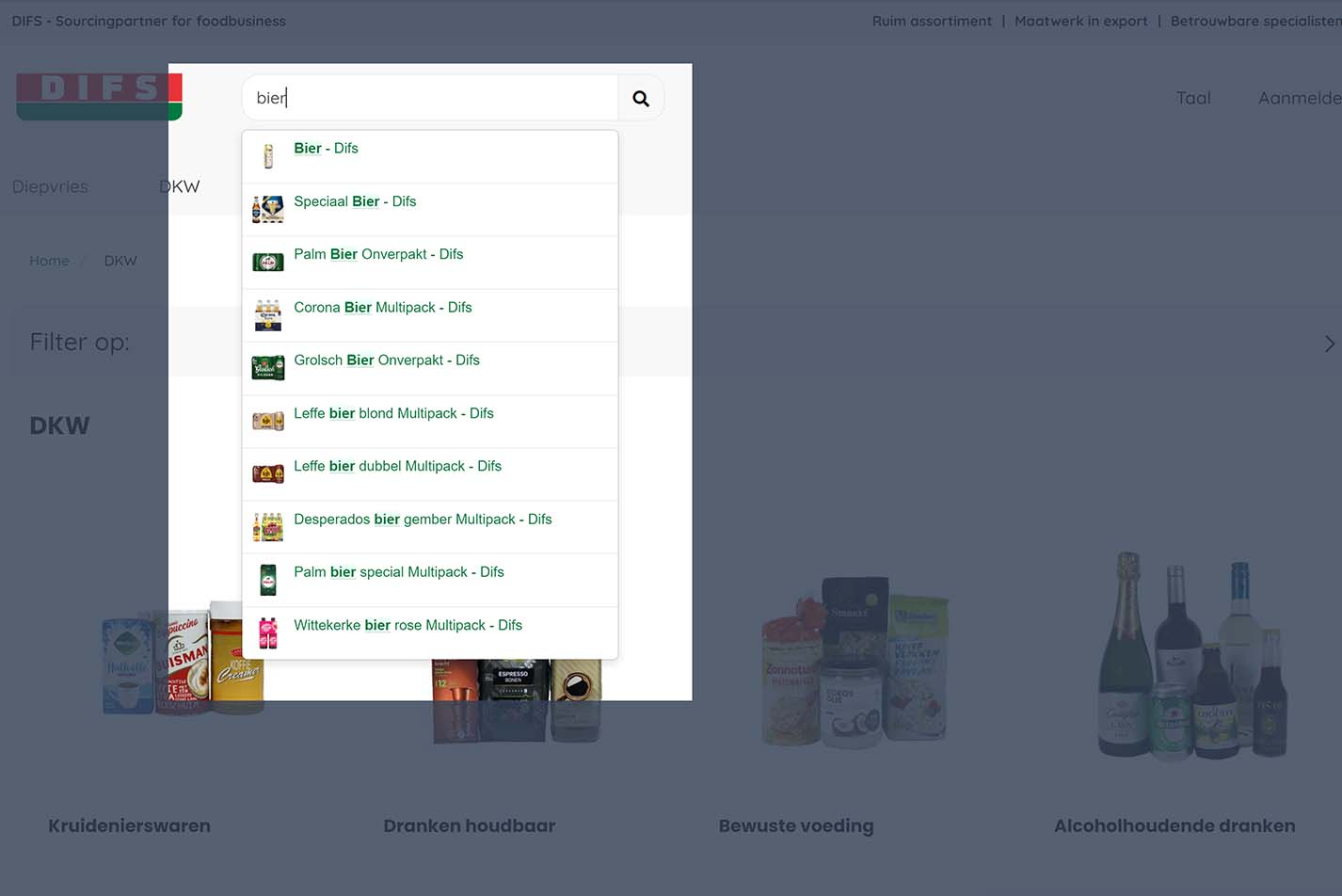
 class=

The Elastic/Swiftype integration is available through a monthly subscription, starting at USD 79 for an assortment of up to 5000 products. Currently the integration will only work on product sets without authorizations.

In parallel, we are extending our standard Shoxl product search with a dropdown that also autocompletes and contains images and texts. This native search extension is epexcted to be available early Q2/2022.

Our search will deliver the same search experience, but also take into account authorizations on products. The search results page will not be changed. We will still show filters that are generated from the search results; and return product groups and classification nodes instead of individual products. An important difference with the Elastic family will be that we will not (albeit initially) offer facilities to users to customize search results on the basis of an analysis of search behaviour.

The choice between Elastic and native search will first of all depend on the use of authorizations. If they are not in use, the main advantage of the ElasticSearch integration is the adaptability of Search results by the user. Using ElasticSearch comes at a cost however: these facilities do not come cheaply, especially with large assortments.

The display of youtube video assets has been improved by scaling the window used to display the video. Several small fixes to the styling en HTML have also been made.
The order lists column in user management is now only visible of the module is active. Previously it would always be displayed, resulting in an empty column in the UI.
A bug in the function that orders assets in some cases caused the asset sequence of article or articlegroup asssets to differ from the sequence defined in the import sheet.
When using the bareBoneLoginPage. If we are signed in, we should not be able to access the PasswordReset page, Activate page and Register customer. In this case we will be redirected to the home page
An asset of type file got the wrong filename when downloaded, this has been fixed.
As a result of a bug in the logic used to set the active page in the main menu the situation could occur that 2 pages where marked as active simultaneously. This occurred when one page started with the title of the other.
Fixed error that occurred when displaying orderlines in the account portal. The issue affected only sales orders with an unfinished PriceAndTaxCalculation in SAP ByD.
The default import language of the Vendisto imports that are started by the automated import process are can now be configured in the deployment environment of Vendisto.
It is no longer necessary to define a double administration of delivery costs in both the shop configuration and in the Exact Online interface configuration. The shop now passes on the delivery cost related articlenumbers as specified in the shop settings.
Removed unnecessary dependency from Anzio.XmlImport. This improves the maintainability of the software and fixed a bug that was caused by a library upgrade in the Anzio XmlImport console application.
The STEM webservice connector is now implemented in a separate process while releasing the shop from the responsibility for the connector.

This architectural improvement enables the upgrade to the latest core version for shops that use the STEM connector.
Fixed bug that caused some suspended articlegroups to exist in RavenDB. This situation occurred when the webshop XML contained Articlegroups with only discontinued articles.
The Exact Online batch interface is now able to process shop orders that have a discount percentage specified on on the payment method. The discount is added to Exact as a discount on the entire order.

It now also is possible to configure separate Exact Online payment conditions for the different payment method defined in the shop configuration.
Added request throttling on Exact Online REST Api calls. This mechanism ensures that the Shoxl Exact Batch Interface respects the minutely limit that Exact imposes on these calls.
In our continued effort to centralize all shop management, we have now moved the management of Vendisto User Rights to our central Setting management Tool. Vendisto User Rights govern the visibility and accessibility of Vendisto Sections (that is: Menu Items, Page Sections, Overview Grid Columns, Action Buttons) to Vendisto Users.

In a next step, the existing set of user rights will be extended, thus creating the possibvility to show users a version of Vendisto that is fully tailored to their needs.

Release 2021.11

November 2021

In November, a lot of time was spent on increasing the quality and performance of the various components of the Shoxl e-commerce platform. The focus was on being able to handle orders with very many order lines, and on improving performance when very large amounts of product data (more than 100000 SKUs) had to be displayed, imported or exported. In addition, the integration with DeliveryMatch has been extended with the option to choose from available pick-up locations for order delivery.

On the functional side there is also plenty to report, including a new integration with PSP MultiSafePay, and various new options in the Account Portal, such as the option to hide columns.

On the integration side, this month's attention went mainly into extending the connection with CS WholeSale, the ERP package from Centric. In addition, various issues in the existing interfaces have been addressed.

And finally: this month a lot of attention went into improving the roll-out process for new shops, which is now almost fully automated with our tool ShopManager. Good news for our new customers, then.

The integration with DeliveryMatch has been extended with the option to select a pick-up point. The available pickup points are presented in the third step of the check-out process, when a choice is made between Delivery and Pick-up. If multiple logistic carriers are used, all pick-up points that are part of their delivery network are shown.
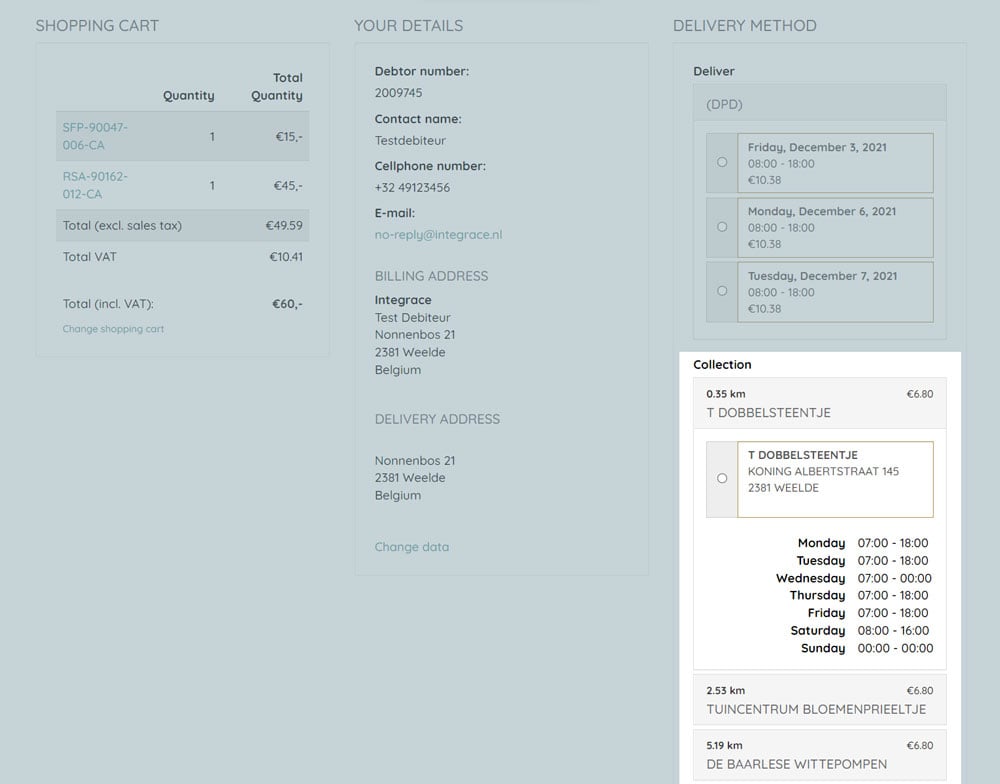
 class=


The sale items list on the homepage can now optionally link to the ArticleGroup that contains the Article instead of to the Article itself.

MultiSafePay can now be selected as a payment provider for Shoxl.Shop.
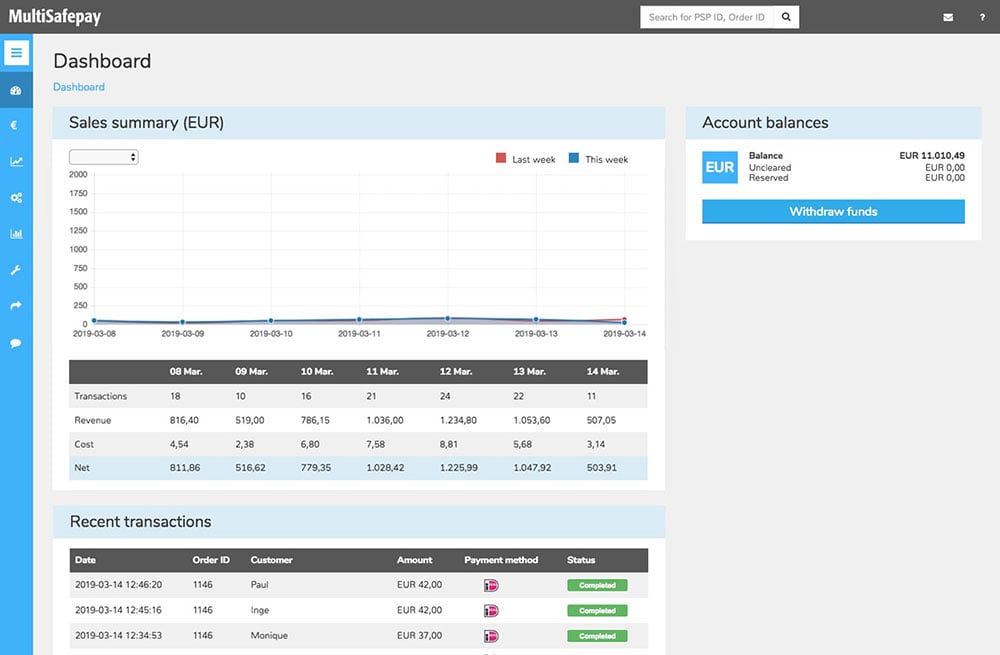
 class=

(Image Copyright MultiSafepay) 


A new (optional) feature has been added that will show the visitor the remaining amount to be ordered to receive free shipping. This message will be displayed in the basket, the feedback after adding an article to the basket and in the basket summary.
The sitemap will now be stored on disk to be able to serve the sitemap faster for search agents. if the sitemap does not exists, a new sitemap will be created. If it exists, we will check if it is older than one day. If so, we will recreate a new one, otherwise we will serve the one from disk.

A sitemap creation will only take 10 seconds (if not cached) with 100.000 items.

For a normal website, this will only take around 2 seconds (if not cached)

If cached, both requests will be served within a second

It is now possible to always show the shopping cart button and quantity selector on the article group overview page in tile view. Previously, these order buttons were only shown on-hover.
 class=

For our emailing module: OrderDate, PrefferedDeliveryDate and ExpectedDeliveryDate will now be formatted in normal human words like Tuesday 21 April 2021 9: 45 instead of 2021-04-21T09: 45: 00
The option to display te name of an article in the article selection table has been added. This option is disabled by default.
The order overview list in the account menu had been made configurable. When configuring a shop the visibility and display order of the various columns can be set.
Fixed bug that caused empty order history list for realtime webservice connections using Shoxl REST API implementation.
When price information for an ArticleGroup was missing the call that has to retrieve the prices for several ArticleGroups would fail. This would result in a failure for all ArticleGroups on a page. This has been changed so that all information that is available will be returned. ArticleGroups with missing information will be skipped.
As a result of a bug in the filtering logic there would be no filters available for certain search result. This issue has been fixed.
After filtering an article selection list the prices would no longer get loaded. This issue has been fixed.
Fixed an issue where when resizing an image the transparent background would be replaced by a black background in some cases.
The CS Wholesale connector of the Shoxl Realtime interface now returns the orderline prices after this was implemented by Centric in the CS Wholesale webservice.
Updated the CS Wholesale connector of the Shoxl realtime webservice so that orderlines with items on backorder are now shown with status ToDeliver.
The CS Wholesale ERP now supports the invoice history overview in the user portal. In the overview the invoices can be downloaded in PDF format.
The REST API connector that connects to ERP systems for customers that have implemented the Shoxl Realtime REST interface now returns PDF documents for the invoices that are shown in the user menu of the shop.
Created new database upgrade tool for the ErpCache database that is now configured to be run as part of the rollout process of the Shoxl Webservice. This webservice functions as an intermediate layer between the shop and the ERP Cache. The new tool centralizes responsibility for the database upgrade which was before shared by multiple processes. In rare cases this could cause issues.
Fixed bug that caused an unknown error for customers that manage their prices in Vendisto. When importing new articles the price synchronization to the shop caused an error.
Fixed an issue in the exception logging mechanism that caused the webservice to fail returning the error to the shop in case of fatal errors. This was leading to slow behavior in the shop.

Release 2021.10

October 2021

In this release, the Quick Order functionality of the shop has been extended with the "Order Grid": a clear table on the product group page that shows all variants within a product group, including their distinguishing characteristics. On the same page, it has become possible (in the language used to define page layouts) to place groups of product characteristics in different positions. This gives designers more flexibility to arrive at a page that communicates optimally.

There is also good news on the integration side: a new direct integration with Exact Globe has become available, and a connection has been developed with the SmartLynx middleware layer on SAP Business One.

An OrderGrid option has been added for the ArticleGroup detail page. When this option is activated a selection UI by a definable property will be displayed (e.g. color). When one or more of the values in this UI is selected an OrderGrid result will be generated. This result consists of a grid containing all the articles available for the selected value. Multiple value selection lead to multiple OrderGrid results.

This functionality can be activated by defining the "OrderGrid" settings in the "ArticleGroup" of the WebshopSettings and placing the filter UI and result UI in the LayoutSettings.
OrderGrid

The possibility to display value icons in the overview tile of an ArticleGroup has been added. The tile can display icons linked to the property values of articles inside the ArticleGroup. There's no limit to the amount of properties that can be configured for this functionality.
When a user adds items to the basket, a setting now determines user feedback. Previously a feedback pop-up was presented. Now an alternative has been implemented, in which the basket preview automatically opens (and closes after a few seconds). This is the same preview as the one shown when hovering the basket.

By default, related articles are defined on article level. So, an specific product variant is related to a product variant in another group. An example would be: this drill bit is an accessory to this drilling machine. However, in some cases relationships are needed om the article group level. For instance, this t-shirt is a good fit with this trouser (insted of: this red t-shirt, size M, is a good fit with this trouser, grey, size 38). In order to easily define relationships between article groups A and B, the shop now automatically generates such a relationship when one single item in article group A has a relationship with one single item in group B.
The quick order import through CSV assumes that single units are ordered. However, some shops use different packaging units. It has now been made possible to use other packaging units in the Quick Ordering CSV, which the shop then translates to regular units or any unit the shop uses as its standard.
The shop offers the option to filter on possible delivery dates. By default, filters dispappear when you visit an article detail page (since you have found what you are looking for). However, the selected date is something you still neeed when ordering the article. Now, if you have selected a delivery date in the filter options, the shop will remember the date and preselect this delivery date when you visit an article detail page
A new layout element has been added to the layout language: PropertyCategoryTabs. This element describes the property groups that have to be displayed as tabs on the ArticleGroup page. The order in this list also dictates the order in which the tabs will be displayed on the ArticleGroup page.
In Shoxl shops, the layout of a page is set up using a layout language. One of the constructs in this language is the "PropertyCategory", which is used to categorize a set of product properties. This set can then be postioned as a whole on the page, and has its own class - which makes it essy to format the items through CSS. This offers great flexibility for page designs.

In this case, a problem has been solved in which a product property was classified in a sepecif properrty category, disappeared from the list of all product properties (which is as it should be), but did not appear in the propert category.
A new and improved interface to Exact Globe is now available. This interface uses the Shoxl REST API. Benefits are an improved performance and even greater stability.
Smartlynx is a middleware layer from Anrova, which consist of a number of endpoints that connect SAP Business One to the outside world. Smartlynx is  general purpose layer, but also provides all data that is needed by a webshop - and is able to consume the messages that a webshop products, such as order messages.

To be able to connect to Smartlynx endpoints, an adapter has been developed that exposes the Shoxl REST interface to Smartlynx.
Various Optimizations in Article Import and Sync, in order to handle larger volumes of data.:

  • Prevented inmediate article synchronization when updating article authorization profiles in article import batch
  • Solved bug that caused synchronization error when importing new articles
  • Performance improvement when synchronizing assets at the start of the import. Assets are now synchronized in batches.
  • Replaced duplicate batch code by new generic BatchWhereIn queryextension function.
  • Solved bug that caused articles to by synchronized multiple times by passing on LanguageId to Articles synchronization in ArticleGroupSynchronizer

Release 2021.09

September 2021

In the September release, the focus was mainly on the account portal within the shop. Through this portal, customers have access to their information in the ERP system. This account portal has now been extended with an overview of open returns or return requests. In addition, you can now configure which columns are shown in all overviews. The first ERP system for which this connection is active is CS Wholesale by Centric.

The order overview list in the account menu had been made configurable. When configuring a shop the visibility and display order of the various columns can be set.
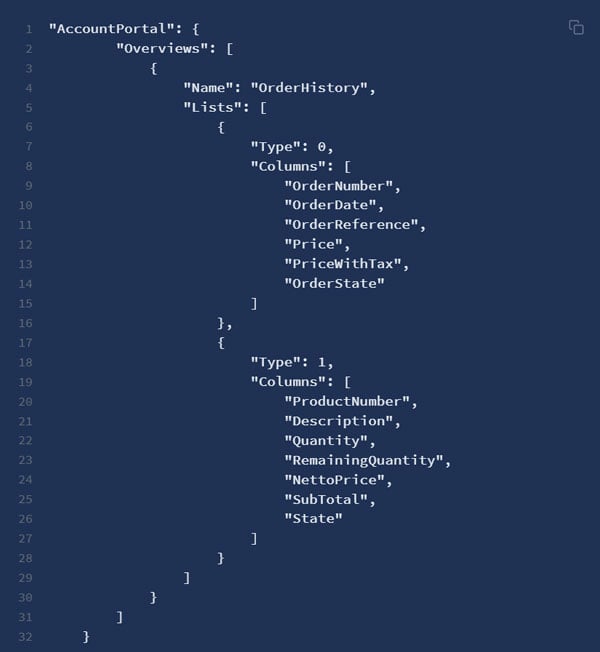
Order Overview List

The backorder overview list in the account menu had been made configurable. When configuring a shop the visibility and display order of the various columns can be set.
The shop now has the possibility to display a RMA overview. This overview can be found in the account menu of a authorized visitor.
Shoxl shops offer the option (if this setting has been enabled) to order articles directly from the article overview page. In some cases, the quick order button would be disbled until changing the amount to be ordered. This has been fixed: the button is now enabled by default.

In shoxl shops, products can be displayed in a pop-up (in order for prospects not to leave the products overview page). When ordering a product from this pop-up, and depending on settings, in some cases a message is shown asking the customer to choose between continuing shopping or go to the order basket. Pressing "continue shopping" closed the shopping cart dialog, but not the product display pop-up. This has now been improved. The customer now returns to the products overview page.
product display pop-up


Release 2021.08

August 2021

Important new features have become available in the August release, such as the ability to check entered addresses (via the Google Places API). In addition, the last minor issues in the integration with DeliveryMatch have been resolved. DeliveryMatch handles the integration with the software of carriers.

On the Vendisto side, the focus was on SettingsManager. This software enables central management of all settings of all operational shops. Previously this was arranged per shop, which is no longer feasible with the growing number of shops. The intention is to eventually make these settings options accessible to shop owners as well.

The number of cases in the integration area may seem modest, but here too an important step has been taken: our software now also handles more complex discount rules within SAP.

The core shop can now display external plugins via a newly implemented token system used to retrieve the information.
integration of external plug in

The article image can now optionally be shown in the article selection table. The image will be displayed in a small format to make sure the table layout is kept intact.

The possibility has been added to shield the entire shop from unauthorized visitors. This means that only the login page and the password reset page(s) will be accessible to non-authorized users.
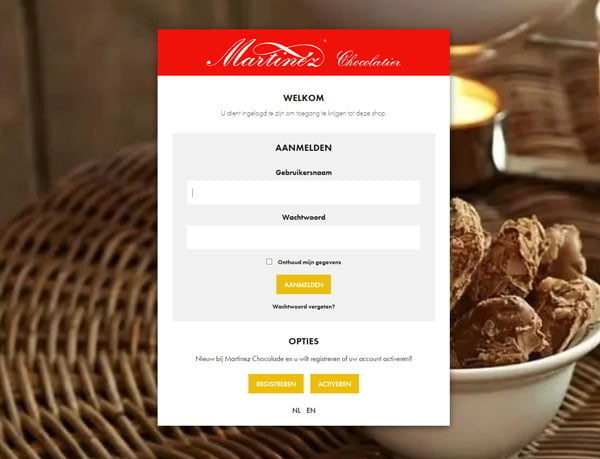
Authorization at shop level


User agent token is toegevoegd aan de Shoxl Core. Bij elk Mollie request zal deze als user agent mee worden gestuurd.
In the previous release a new option was implemented to display an article count in the ArticleGroup overview tiles. This has now been expanded with a settings to enable or disable this information in the tile.
The volume discount display has been made multi-currency enabling the display of the volume discount in the currency being used in the shop bij the user and not just in the default currency.
Some minor issues in the order logic have been fixed, mostly occurring when ordering using authentication profiles.
If one or more articles in a list didn't have a price the price filter for that overview would fail. This bug has been fixed.
DeliveryMatch does not return the available delivery methods when an api-call is initially made. Repeated calls are succesfull however.
This behaviour was caused by a bug in the DM API, that occurred when the delivery address for which the available delivery methods were requested contained a space. This has been remediated.
1) For home delivery:
Delivery Method, delivery date and delivery time will now be display in the order summary step.

2) For pickup points:
The order summary will now display the pickup point in a correct way, without the 'unknown' delivery date. The houseNumber is added as well to the pickup address

3) Postmark emails have now access to the following fields:
"ShippingProviderInformation": {
"Carrier": "DPD",
"DeliveryDate": "woensdag 11 augustus 2021",
"DeliveryTimeFrom": "08:00",
"DeliveryTimeTo": "17:00"
}

In case of Pickup points only the carrier will be filled.

4) Postmark Paymentmethod has now a good translation:
"PaymentMethod": "Bij levering",

5) Postmark DeliveryMethod has now a good translation:
"DeliveryMethod": "Afhalen",

6) PostMark Shipment Costlines have now a good translation
"Type": "Verzendkosten",

7) Fixed a bug in the checkout. There was a possibility to skip the DeliveryMethod step. By bypassing that step you could order something without paying delivery costs

8) Fixed a bug in the checkout. If you press F5 in the checkout Delivery method step and proceed. The shop will crash.
The display logic for accumulative discounts was flawed, resulting in unwanted display of the accumulative discount information. This issue has been fixed.
The order button in a sale item thumbnail didn't display in some cases due to a bug in the model initialization. This bug has been fixed.
The minimal order quantity did not function as expected in some configurations. The issue would be that the minimal order quantity would be used a an order step size so that visitors could only order multiples of the minimum order quantity. So if the minimum order quantity was 6 then only quantities of 6, 12, 18, 24 etc. would be considered valid.

This logic has now been fixed. So for a minimum order quantity of 6 all quantities larger that 6 will be considered valid.
The shop can show a “Pay now” button at the very last step of the order process (the “Thank you” page). In some cases however, the button was shown for payment methods for which direct payments are not available or relevant, like “Bank Transfer” if not handled by the PSP.

This logic has now been changed as follows. If a payment method is selected that is not processed by the selected PSP, or no payment option is offered: the Pay Now button will not be shown.

Non-PSP payment methods include:

  • Buy on Credit
  • Cash on Pickup
  • Cash on Delivery
  • Bank Transfer, if the setting AllowPspBankTransfer is set to False.
The AllowPspBankTransfer setting is setting in the RavenDB document that contains all PSP setting, which is separate from the generic settings file of the shop.
Added the possibility to show and hide the 'display order boost' column from the article groups grid.
Calculate order has been implemented in the checkout flow. We now can get Staffel discount from an ERP system in the checkout flow.
To be able to see the discount ánd the original price in the checkout flow we have to enable the setting ShowOriginalPriceAndDiscountPriceInCheckout
PriceList importer now removes pricelist records of not imported productnumbers in case of a full (not partial) ErpCache PriceList import.

Release 2021.07

July 2021

The July release includes a substantial number of changes and improvements to the shop. An appealing improvement is the ability to restrict access to specific content pages to logged-in users. But the many smaller changes also add up to a clear improvement in the user experience. In addition, we remain very enthusiastic here about the many possibilities the integration with Zapier offers, this time in the area of preprocessing the transactional emails the shop sends.

On the integration side, it is certainly worth mentioning that the shop now also has a REST interface, in addition to the existing SOAP interface.

Delivery costs that are returned by DeliveryMatch should not include/present VAT when the shop is configured ex VAT (as determined by the setting ShowPriceWithTax). This has now been corrected.
The new way of sending the order confirmation mail via Vendisto lacked some information like tax data. All missing data has been added to the communicated model and is now available for use in the mail template.

VAT has been added to the order confirmation email.

The following columns are added / modified:

Example I
Prijs / unit (EUR) Aantal Prijs(EUR) BTW(EUR) Prijs met btw(EUR)
6, 35 6 38, 1 9% (3, 43) 41, 53


The price summary on the email has been changed as well. It contains now as well the VAT.

Example II
Totaal (excl. BTW) EUR 117, 10
Totaal BTW (9%) EUR 10, 45
Totaal BTW (21%) EUR 0, 21
Totaal EUR 127, 76
Pages can now be hidden behind behind the login, so only authenticated users can view the page. The page will be visible in the navigations (if added), a click on the link will result in a redirect to the login screen. This option can be activated for any page by clicking the "Secure page" option in Vendisto.
Added datepicker to list / table view for the article group page, to enable the selection of a delivery date for an order line when using that view.
The Article Group Overview Page can be set to use Tile View or List View as its default. When Tile view is chosen as the default, a view change by the webshop visitor to List View resulted in the display of a wrongly formatted page. This has been corrected.
Classification levels can be used to filter product collections. The use case is to show alle products in say a "main" category, and then filter the results using the subcategories of that main category.

In some cases a bug caused this category filter to fail. This has been fixed.
Because Shipping Costs are mapped to a regular article in Exact, they are also included when re-ordering an order. This should not be the case, they should be calculated again when the order is placed.
Fixed a bug caused by resizing images. This error caused webshops to not display images.
Delivery costs will now be visible / calculated even if someone enters 0 euro's in the settings.
The Postmark e-mail functionality in Vendisto now has the possibility to pre-process order data before sending it to Postmark. This endpoint is optional.

An example of such usage is preprocessing by Zapier to sent mails to different sales offices, depending on the delivery address of a customer.
The Shoxl Webservice now supports a standard REST connection to the ERP system next to the existing SOAP interface.

Release 2021.06

June 2021

As of the June release, it is possible to use external templates for all transactional email the shop sends (password changes, order confirmations, etc.). It has also become easier to use custom forms made with external editors to replace the shop's standard forms.

In the area of integration with ERP systems, a lot of attention again went into integration with the various Exact variants. For example, it has become possible to specify minimum order quantities per product in Exact, and a small but annoying rounding difference caused by VAT calculations has been fixed.

Transactional emails that used to be formatted by the shop and then sent by Postmark, are now using Postmark templates.
The order information is sent through

This had the added advantage that user-specific design issues are now isolated in templates, and do not pollute the standard Shoxl Core Shop Solution.

The following functionality has been added to the email functionality:

1) Based on the language/region, dots / commas are displayed with the amounts
2) Amounts are now rounded to 2 decimal places. 1.567 is shown as 1.57
3) Prices are now always shown with two decimal places. 1.5 becomes 1.50
4) The templates are now multi language.
5) The hyperlinks are now environment independent. So staging now points to staging and production to production
6) The template now also contains the field currency
It has been made possible to configure a custom form for new customer registration.
This is done by creating this form by any means, for instance by using a package such as mailchimp. Next, the form is embedded on a Page in the shop.
The only question that remains is: how to link the "Register" button on the Login page to this Page. This is done by creating a link in the resources file on the specific button class.
Although some configuration is involved, this creates great flexibility for creating custom registration forms. A nice example can be found here: https: //cobecopharma.com/nl/registratie
It is now possible to filter article on Delivery Date on the search pages / filter pages if delivery dates are imported per article.
DeliveryDates are not imported anymore in the ERP cache, but from now on by the Shoxl Pro Xml importer.
The shop allows for a minimum order quantity to be defined for an article. When this quantity is set, the customer cannot order less than the defined number of articles.
The minimum order quantity is provided by the ERP system through the PriceList and CustomerPrice exports. However, Exact does not have a standard field in which a minimum order quantity is defined.
The Exact (Online) integration now looks for the freefield MinimumOrderQuantity on an article (item). When present, the information is used to fill the minimum order quantity in the export files.
Fixed bug that prevented net prices to be exported to the ERP Cache for customers with over 60 pricelists.
Pricelist export now supports pricelists with multiple price periods and exports the pricelist of the active period.
Fixed a bug that enabled the user to change the quantity ordered of an article in the basket below the defined minimum quantity.
Customer import is now using case insensitive comparison when validating on double usernames.
The customer import requires user names to be unique. Because the validation is case sensitive, equal user names passed validation, causing the importer to crash. This has been fixed by making the validation case insensitive.

Release 2021.05

May 2021

The May release offers a number of extensions to the shop. A nice new option is the ability to change requested delivery dates directly in the shopping basket, so there is no need to go back to the product detail page. And with the addition of the Spanish and Russian language versions, these markets can be served right away.

In the area of integration with ERP systems, the shop (or in fact the ERP cache) has been extended with the option to no longer use exchange rates, but to specify prices separately in each currency.

Previously delivery dates could only be set on productpage, and were fixed in the basket. It has now become possible to change delivery dates without leaving the basket, so on the orderline.
A setting has been added to hide VAT in the shopping cart dropdown. In combination with other settings it is now possible to hide VAT completely, as some shop owners need.
The core shop now support progressive image loading in the overviews. This option can be enabled by setting the WebshopSetting "UseProgressiveLoading" in the Image settings to true.
It has been made possible to display a logo on the article detail page in a non-ezbase shop. The logo can be added via the LayoutSettings.
It is now possible again to filter on the articlegroup page on Article Properties. It did not work because the Article properties were not indexed correctly.The following has been changed: A new version of the ArticleIndex has been created. A dynamic field named: 'propertyvalue_' has been added which will contain the Article properties
Fixed in bug in the quote mail communication: a pickup location never received an order copy.
The Veldmans Mobile App has been changed: The connection to Raven has been changed so it can do now more than 30 calls in one session
The ERP Cache already had support for multiple currencies by importing exchange rates for other currencies. It is now possible however to import CustomerPrices and PriceLists in multiple currencies in the ERP Cache without the use of exchange rates. In this case the calculation is no longer made in the ERP Cache but in the ERP itself.

Release 2021.04

April 2021

In the Shoxl April release, the shop now offers the ability to create multiple standard order lists, which can then be placed in the shopping basket with one click. These lists can be created both by the shop owner and by the visitor. Work has also been done on various performance improvements.

In the area of integrations, work has been done on extending the facilities for storing Order Documents in the ERP Cache, the layer between the ERP system and the shop.

There is little to report for Vendisto this month. Work on the Visual Editor (dynamic items) is in full swing. These new building blocks are expected to become generally available in May or by June at the latest.

A much requested feature is now available: the option to create multiple lists of products that a customer can maintain him/herself and add to the shopping basked in one click.

The option is available for logged-in users. When it is enabled, the user gets the option to create, edit and delete lists. A list can contain an unlimited number of articles. These articles can be ordered from this list individually or grouped.

The shop owner has the possibility to add, edit and delete order lists from all customers from Vendisto. There's also a new import option enabling the shop owner to import new lists.
When items are on sale, the favourite list did nog show the special offer price (but the regular price instead). This issue has been resolved.
The UI for related articles would not be entirely hidden if no active articles where present in the related articles collection. This has been fixed.
Some structured product data markup needed by the Google (and other) crawlers has been changed. We now use https instead of http. Furthermore, itemprop=offers was missing and has been added.
It is now possible to view photo's that are attached to orders in the order history view of the account portal.
The article group overview page loaded each price individually, instead of doing a bulk request. This resulted in poor performance for large pages with many article groups. The implementation has now been changed: alle prices on article group overview pages are now requested in bulk, so only one call to the ERP system is needed.
A setting has been added to hide VAT in the shopping cart dropdown. In combination with other settings it is now possible to hide VAT completely, as some shop owners need.
The option to put a label on top of and image (e.g., 30% discount) has been improved.

Resized PNG images will now remain PNG images and will retain their transparency.

The option has been added to define a label for a specific article. The previous implementation only allowed labels on article groups (so on all articles within this article group).
A bug has been fixed in the favorites list that prevented the article prices from being loaded.

The timing for loading of the basket and usermenu in the header has been changed to gain a small improvement in load times.
The shop's webservice backend now supports an extra function to disclose order documents from the ERP if the connector supports this feature.
Exact batchinterface is now able to export of photo's that are attached to orders in Exact in XML file that is structured according to the ErpCache OrderDocument format.
The move to Vendisto.net as the standard domain for staging environments has created some redirect issues. The web.config for the Vendisto website can now make a distinction between vendisto.net domains and other domains. This prevents redirect loops when using the vendisto.net domain.
The order line overview page within Vendisto did not show prices. This bug has been resolved.
An issue has been resolved that caused Orderlines in Vendisto to show the gross price and not the customer price

Release 2021.03

March 2021

An important new feature in the March release is the ability to add downloads for groups of users or for individual users. These files can then be found in the customer portal.

In the area of ERP integration, work focused mainly on the Exact Online interface. In the latest version, invoices (in PDF format) and images added to a shipment are also retrieved, after which they can be found in the customer portal.

Within Vendisto, we have been working on exciting new options for adding dynamic content to the content canvas. This makes it possible to place products, news items and wiki items on shop pages in a user-friendly way.

Products can be marked as quotation products, meaning that they cannot be bought directly but the customer has to contact the webshop for a price. For these products, an Ask Quotation button is shown on the article detail page. Prices can be hidden or the Manufacturer Suggested Retail Price can be shown.

For known debtors, these products can have a customer-specific price. However, since these products are marked as quotation products, logged-in users were not able to add them to the shopping basket.

This has now been changed. A webshop owner can choose whether quotation products can be ordered by known debtors, or not.
It is now possible to upload files in Vendisto, that can be made available to all users or to a set of specific users. These files are then available through the Customer Portal. This function can be used to, for example, provide users with user-specific downloadable pricelists.
The Exact batch interface supports export of invoices to the ERP cache.
The ERP Cache importer is extended with an extra format for the import of invoices.
The shop can be configured to display the Invoice PDF if the implemented ERP connection supports this functionality.
If AddressLine1 is empty, we will now fill it with available data.
Language code has been changed to 2-character ISO code.
Optional fields Telephone Number and Emailaddress are now sent too.
Increased ravendb:MaxNumberOfRequestsPerSession session limit in order to prevent issues with placement of big orders.
Exact batchinterface is now able to export of photo's that are attached to orders in Exact in XML file that is structured according to the ErpCache OrderDocument format.
The shop's webservice backend now supports an extra function to disclose order documents from the ERP if the connector supports this feature.
Exact BatchInterface now Export ErpCache_Stock XML format 1.2 which supports decimal stock values

ErpCache Stock Importer now accepts decimal stock values.

When configured to show numbers the available stock is now shown in the price unit of the article. Also a decimal stock quantity is now shown with decimals.
It can now be configured in the Exact batch interface if stock on Planning In is added and if stock on Planning Out is subtracted from the stock that is exported to the ERP Cache (and shown in the shop.).
The Visual Editor is being extended with multiple dynamic blocks. Using these blocks, items such as product items/lists, news items/lists and wiki items/lists can be placed on the canvas. Underneath the surface, this is then translated in a dynamic tag that is sent to the shop page. These tags can also be written by hand. Using these new function, dynamic pages can be build by non-technical users. The functions will become gradually available. The work is expected to be fully finished in release 2021.06.

In this release, the dynamic blocks for Product Items and Product Lists are available for selected users for beta testing.

Release 2021.02

February 2021

The February release brings a few small functional improvements, such as the ability to specify how countries are positioned in the dropdown in the checkout flow. A few problems that could occur when a shop is used internationally have also been fixed.

On the integration side, a lot of attention went into improving the efficiency of data exchange. For example, a format has been developed for importing delivery date schedules per product per customer, so that customers can see on their own calendar when certain fresh products can be delivered.

The country selection in the order process has been improved. It is now possible to move a selection of countries to the top of the list in the dropdown. The rest of the countries will be displayed below these preferred countries and will be displayed below a separator. Furthermore, the possibility to display country names in the language used in the shop has been added. Previously this was limited to one language, English.
Countries shown in a drop down in the order process will now by default be shown in alphabetical order by display name.
The steps displayed in the top of the screen during the order process have been made more flexible. This has been done to enable more layout options and cleaner HTML.
Due to a logic bug the label that can be put on top of product images, for example to show that an item is a Sale Item, was not always available. This has been fixed.
A new webshop settings has been created. This settings contains a list of units. When the unit of a Packaging property is present in this list the packaging calculation will not be performed and the normal ordering logic will be used.
The ErpCache Product Delivery Scheme interface was changed so that it is now required to add a DeliverySchemeCode to the DeliveryScheme of a product. Also the ErpCache Customer import was changed in order to add a corresponding DeliverySchemeCode to the Customer.
This solution makes it possible to define different delivery dates for different customers for the same productnumber.
AutomaticShopImporter now stores failed import files in a separate folder. This speeds up the process analysing the failed imports.
Implemented ErpCache Cleanup importer.
See specification on https: //shoxl.gitbook.io/erp-integration-guide
It is now possible to add an article number for delivery costs. This (external) article number can be used for the ERP system to connect the costline to a product.

The following setting has been introduced:
1) Price.ExternalArticleNumber (This number will be used if you are not using price regions for your shipments)
2) Price.RegionalDeliveryCosts[x ].ExternalArticleNumber (If you are using price regions. You can setup a separate external article number per region. So the costline can be connected to different products in the ERP)
Article and article group imports now detach properties, VAT rates, assets, and authorization profiles when the respective column in the import was left empty.

Release 2021.01

January 2021

Great new shop features this month! Among other things, a connection has been built with DeliveryMatch, a powerful solution for connecting to the logistics systems of carriers. In addition, attention was paid to VAT handling for worldwide shipping.

In Vendisto, it is now possible to indicate which products should be part of a product feed, for example for a connection with Channable.

As for integrations, in January the focus was mainly on minor issues that could occur in the connection to Exact, and in rare cases such as entering orders with hundreds of order lines.

====
Shoxl
====
The webshop can now connect to Delivery Match.
To activate an external Delivery service we have to set the following setting to '1'
DeliverySettings\DeliveryCostsMode = 1

When connecting to an external delivery service, the webshop gives the following functionality to change the webshop behavior:
DeliverySettings options:
--------------------------------
1) DeliverySettings\FinalizeShipment = true / false (Default = false)
When set to true the webshop will finalize the shipment instead of the ERP software. Normally the ERP will complete the shipment

3) DeliverySettings\CheckConsistencyShipmentBeforeCreatingOrder = true / false (Default = true)
Checks if the basket contains the same items as has been entered in the shipment. So we check if somebody alters the basket after the shipment has been made. If the basket has been changed. The shop will redirect you to the choice shipment step

4) DeliverySettings\TaxIsIncluded = true / false (Default = false)
If set to false, the shop still needs to add tax to the returned price from the delivery service.

OrderUnitsSettings options:
-------------------------------------
To be able to work with an external delivery provider. We need to at least the following settings, those settings will be used to match product properties like weight, length, etc.:
1) OrderUnitsSettings\CommercialUnit\WeightHeaderId
2) OrderUnitsSettings\CommercialUnit\HeightHeaderId
3) OrderUnitsSettings\CommercialUnit\WidthHeaderId
4) OrderUnitsSettings\CommercialUnit\LengthHeaderId
5) Article\WeightPropertyId*

* Please note that WeightPropertyId should be the same ID as WeightHeaderId

Article properties:
------------------------
Every article must have a weight, height, width and length connected to the above settings to be able to create a delivery. Without a delivery, an order cannot be created.

====
Shoxl webservice
====
At the moment it is only possible to connect to Delivery Match. In later stages it is possible to add other delivery service providers

To activate Delivery Match you have to set the following AppSettings in the web.config:
DeliveryService: value=DeliveryMatch
DeliveryApi:secret value=[API secret ]
DeliveryApi:password value=[password ]
DeliveryApi:userName value=[username ]
DeliveryApi:baseUrl value=[URL to delivery match API ]
DeliveryApi:ClientId value=[ClientId ]
DeliveryApi:ClientChannel value=Shoxl webshop
The shop can now handle the following rules:
1) If (B2C or B2B) sale to outside Europe, shop will use 0% vat.
2) If B2B sale to another EU country*
the shop wil use Reverse Charge (0% vat)

*The EU countries can be modified by adding or deleting country codes. This can be done in the web.config of the Shoxl.Shop core

Edit the following setting: shoxlpro:ViesCountries
Add countries comma separated:
By Default the shop will use the following values:
AT/BE/BG/CY/CZ/DE/DK/EE/EL/ES/FI/FR/HR/HU/IE/IT/LT/LU/LV/MT/NL/PL/PT/RO/SE/SI/SK/XI

Work still needs to be done:
At the moment the shop support multi price regions. But there is no way to import multiple price regions.
(Case 72225)
A quickview has been created, in which a product variant is shown in an overlay so a customer can see details and order without leaving the overview page.
The payment methods: Bancontact & Apple Pay are now available in the webshop. They can be activated in the section: 'Payment/PaymentMethods'
To activate Bancontact add the number: 2097152
To activate Apple Pay add the number: 1048576
A bug in the Mailchimp subscription functionality has been fixed. The handing of additional (custom) fields contained an error.
Changed interpretation of NettoPricePerItem field in PriceList and CustomerPrice XML of Exact BatchInterface. The NettoPricePerItemExclVat is the price including discounts.
Orderline quantity that was exported in order XML is no longer converted to integer when importing order in Exact by the Exact Batch Interface
The ERP Cache now supports the import of decimal values for orderline quantity. The Exact Batch interface now supports the export of decimal values for orderline quantity.
Fixed Unkown error in article import that was caused by duplicate assetIds ArgumentException when importing assets.
Vendisto is now capable of defining a subset of articles to a specific feed. There is a new section Feeds in Vendisto/Settings, where all available feeds are show. There you can enable/disable a feed and copy the feed url,
Furthermore, it is possible already on article level to select a feed, in which the article will be included.
There is also import/export functionality with which you can specify the article subsets and to which feed/s they will belong.

Release 2020.12

December 2020

A short month, with all the holidays, but our product development team still managed once again to make good progress, especially in the area of quality improvement. You may not notice much of it, but that is exactly the intention. No changes to Vendisto this month, however.

Bug solved in RavenDB 5. Ordering on Integers is not supported so we will transform the value(position) to a long
If an article doesn't have the Commercial Unit property the default order interface will be used. in the old situation this would result in an exception.
If the debtor number is available in the quotation e-mail data it will be added as a visible element in the e-mail.
If the delivery address external ID is available in the quotation e-mail data it will be added as a visible element in the e-mail.
A bug in the display of company specific fields has been made. The company specific field would not show in some cases.
The number of fields that can be made mandatory in the registration form has been expanded.
Fixed the HTML for the tag in the order-confirmation mail. So it is used correctly and the details, billing adress and delivery address are alligned correctly.
A bug was solved that prevented stock to be shown for an article in a (rare) case where the article was was not included in a pricelist while using the ERP cache as stock provider.
Fixed bug that caused the mapping tool to sometimes stop processing a file in cases where the tool too early tried to process the file.
Added extra check on empty rows in Excel import. Rows that occur after an empty block of 100 rows will no longer be parsed by the importers.
This approach prevents the import from consuming all server resources in the rare case that Excel sheets with over one million empty rows are uploaded.

Release 2020.11

November 2020

In the November release, it has become possible, among other things, to enter a requested delivery date per order line. This date can be shown in the order confirmation email. It has also become possible to send selected product properties along at order line level.

On the integration side, the main focus was on the issues that sometimes occurred when processing very large datasets.

In Vendisto, the focus was on separating a number of customer-specific elements from the standard solution. As a result, CSS and translations can now be managed via Vendisto.

The delivery date for an orderline wasn't displayed in the order conformation mail due to a bug in the mail generation code.
A new setting had been created that can be used to define the way the properties in the tabs on the article detail page will be ordered.
An optional required validation on the gender field in the customer request form has been added. This option can be disabled or enabled in the FormSettings.
If OrderUnits are being used they will be added to the order XML generated by the shop.
The initial address selection and the address selection when navigating back in the order process contained some bugs that have been fixed.
In some cases generation of a barcode image would result in an corrupt image. This corrupt image would result in an unfound image in the shop. This would remain visible until the article would be changed and the caching on the barcode image would be triggered to build a new image, This issue has been improved upon so that a corrupt image will nog stay in the caching.
The synchronisation of data from Vendisto to Shoxl now uses the ArticleHeader sequence as defined in the Vendisto to position the articles in the shop.
Not all available payment options where correctly implemented in de Vendisto Webservices. This resulted in certain payment options not being available to the visitor after selecting them. This has been fixed in this hotfix.
A bug in the importer that caused it to crash when importing a large collection of data has been fixed. The importer has also gained some speed as a result of the changes made to fix this issue.
Introduction of CustomerData XML format 2.2
- The PriceGroup element was removed from the XML definition
- A new PriceList element was added to the definition
Updated message bus handling in order to solve issues when synchronizing data from Vendisto to RavenDB at import time.
Solved exception that occurred due to large number of article groups when invoking Shoxl synchronization for IBH Export.
Prices in ERP cache are now rounded to two decimals instead of truncated when the import supplies prices with more then two decimals.
The new custom error messaging is used across the Vendisto API. In the UI each error will be displayed in differently coloured touster depending on the HTTP response code.

Release 2020.10

October 2020

Some highlights of this release: on the shop side, the October release includes, among other things, the ability to classify product properties and display them in groups. In the area of integrations, the focus was mainly on extending the Exact interface. And in Vendisto you will now find, among other things, new options for linking customers to discount groups.

For a wholesale company selling tiles, a function has been created that allows a customer to calculate the number of boxes (containing tiles) that are needed to cover a specific number of square meters.
An option has been added enabling the shop to enrich an order XML file with additional article information in each orderline. This information is read from the properties of the article in the orderline.
The custom order confirmation mail has been extended with the optional display of the customer account number.
The option has been added to display article properties in the tiles used in the articlegroup en saleitem overviews. In the WebshopSettings it is possible to determine what properties will be displayed and in what order they will be displayed. There's also an option available to display brand, articlenumber, GTIN and manufacturer GTIN.
Product properties can now be classified, in order to be used/shown in separate sections. This could for instance be used to divide properties between tabs.
A new field has been added to the configurable contact form: "gender". This field currently supports 2 possible values: male and female.
An improvement for the Order Unit module:
The shop can now convert the delivered volume to a given unit, this is for display only in the checkout flow.
This are the available options:
* Disabled = 0 (default), the volume will not be converted. It will be shown as it will be delivered to the webshop
* Millimeters = 1, the volume will be shown in mm³
* Centimeters = 2, the volume will be converted to cm³
* Decimeters = 3, the volume will be converted to dm³
* Meters = 4
The volume will be converted to m³
Please note that the shop only can convert in the following order: mm3--> cm3 --> dm3 --> m3 and not the way around."
A bug that caused an error message to be wrongfully displayed when ordering a sale item has been fixed.
Articles that make user of order units can now also be ordered from a tile in an overview.
The logic that determines if a user is allowed to order an article (when using authorization) was flawed and has been improved.
The barcode displayed on the article detail page would result in a server error when attempting to render the barcode for an article without a GTIN value.
A bug in the display settings for the customer type options in the customer registration form has been set. It was no longer possible to display a business type only form.
Added the configuration of a PriceUnitType to the Exact Batch Interface.
PriceUnitType BaseUnit takes the active itemprice with the highest unitfactor and recalculates the price to a price per base unit. The minimumorderquantitity is then set to the unitfactor of the itemprice. This will enable the shop to show the price per individual item. The customer can only buy items in amounts that are based on the number of items contained in the package.
PriceUnitType PackageUnit takes the active itemprice with the highest unitfactor and keeps the unit of this itemprice with a minumumorderquantity of 1. This will enable the shop to show the price of the package and te customer to select the number of packages we wants to order.
PriceLists, CustomerPrices and DiscountPrices are also recalculated based on PriceUnitType.
Fixed an issue that prevented multiple exact authenticator applications to simultaneously operate on the same server. Updated format of Customer batch export to XML version 2.1.
Removed repositioning of articlegroups in classificationnode after declassification of articlegroup in article import in order to fix performance problem
Solved performance issue that occurred when importing articlegroups with ArticleGroup importer.
Fixed bug that occurred in articlegroup import when VatRate columns where missingFixed bug that occurred in articlegroup import when VatRate columns where missing.
Fixed bug that caused DisplayOrderBoostString to be overwritten by articlegroup position
Fixed unknow error in customer Excel import that occurred when importing customer without userrights column
Fixed bug that prevented mapping of EUOTHER and NONEU delivery costs to corrensponding articles for Huvema Order when placing order in Exact
Fixed bug that caused Exact batch interface to export customer addresses with legacy element names for addreslines.
The price importer contained 2 bugs. The first bug was an exception occurring when an article couldn't be found in the target database, causing the import to fail. The second bug was the fact that the article asset synchronization was being triggered by the price import while this is not needed in this case. Both issues have been fixed.
An option has been added that enables the classification of properties into several categories (1 per property). To make this possible a new module has been added that enables the management of the categories. A category can be created, edited and removed. It's also possible to change the position of the categorie in the list in Vendisto. This position is reflected in ShoxlPro by the order in which the lists of properties are displayed. A category can be connected to a property by selecting it in a dropdown in the property detail page in the properties module.
Vendisto now has a new pricing system enabling simpler price management. New in this implementation is the option to add customers to a price group that enables a default discount percentage for all the articles available to the customer.
The data pool fields can be added to an export sheet only if the shop is externally populated and the used has selected the "Include datapool labels" option when exporting
Adding overlapping items has been limited to one of a type. This means that Image Blocks can still have an overlapping Text item or an overlapping Button item, or both. However, trying to add a second Text or Button, respectively, will not produce any changes. The action of adding overlapping items is still in the Image Block settings
In order not to confuse users about how much columns are there in a Row, Rows will no longer change their width when the "Full-width" option changes value. To see how the page will look like on the webshop, click on the "Preview" option at the top-menu of the Editor
Rows that are hidden or not accessible for the selected authorization profile will be grayed-out.
The process of hiding rows remains the same. The process of adding/removing authorization profiles also remains the same.
To see how the page will look in the webshop, select the "Preview" option from the Editor top-menu. Grayed-out Rows will become invisible.
Users can now use the Image Block settings to add images in addition to double-clicking the Block itself.
The "Add Image" button can be accessed by selecting an Image Block and clicking on "Component Settings" in the side menu
Users can now use URLs instead of searching for the Video ID when trying to add videos. Supported providers are YouTube and Vimeo.
The URLs should be valid and lead and lead to an existing video. Otherwise, the player will display a warning message accordingly.
The video will assume its provider automatically and update its settings appropriately.
Instead of needing to double-click a Text Block in order to edit it, it will now require only a single-click. This was perceived as more intuitive and user-friendly
Users can now directly start typing once they add a Text Block. The added Block will be highlighted and the Rich Text Toolbar will appear.
The process of adding Text Blocks has not been changed.
When importing article groups for non externally populated shops, the normal title will be used to match the importing records with those already in Vendisto
Fixud a bug where datapool fields were geting exported, rather than the regular fields the translations import/export

Release 2020.09

September 2020

For Vendisto, the September release includes an interface with Channable, and various facilities for defining it flexibly. In addition, a lot of attention went into cleaning up price management and VAT rates. Highlights on the integration side are an improved integration with Exact Online and AGP. On the shop side, the main work was fixing various problems in the ordering process that could occur in specific exceptional situations.

A new header menu has been implemented. The new menu will be displayed in the website header and will display all the root categories in a bar with a fold-out menu while hovering over these items. This fold-out menu contains the child items and their children in a list type display.
A bug has been fixed that caused an error page when searching while logged in as a user with UserRestrictedArticleLists attached.
The mobile shop has been updated to the latest ShoxlPro core version. Some improvements have been made in the communication of messages to the app user.
A bug has been fixed in the order process that in some cases prevented a logged in user to place an order when using UserRestrictedOrderLists.
A user that has no UserRestictedArticleList(s) attached to his/her account will not automatically have access to all UserRestrictedArticleLists that are available to the customer the user belongs to.
The interface to Exact Online now uses the Shoxl API key instead of a customer key. Furthermore, several changes have been made to the Exact batch interface parts: Delivery Costs are now optional, classification of the Delivery Account can now be specified, and Outlet/Sale price functions are now set per Shoxl shop user.
A bug has been resolved which prevented the import of ProfileRestrictedProduct files. These files describe for each authorization profile which products should be shown in the default product list that a customer with such a profile sees in the customer portal, after logging in.
The new UI for the product feed settings is more intuitive. It has two columns to choose product feed setting value. One is called Setting value where you specify the value of the setting with plain text. The other is called Product property where you can select to map a already existing product property value to the product feed setting value
The feed can be requested via two separate requests depending on the desired feed format response. There is one for XML and one for JSON. The request structure can be found in the Swagger APi Documentation.
The XML that is sent on the Order Confirmation Event was not formatted properly in the message body. This has been corrected.
Users will not be able to have more than 12 Cells in a Row. A placeholder will not be shown when hovering over such Rows.

Release 2020.08

August 2020

Highlights of the August release are the extended support for ordering in various packaging units and, in Vendisto, the new facilities for managing VAT rates and the extensions of the Vendisto API with various REST hooks. A lot of work has also been done in the background on updates to the Shoxl infrastructure. Not immediately very interesting from a functional point of view, but certainly so in terms of the increased reliability and the speed gains this has delivered.

ShoxlPro can now work with several packaging units. This means that the shop can be enabled to allow ordering by several units. For example: an article can be ordered bij "Commercial Unit (a box of articles), a pallet layer (several "Commercial Units") or a pallet (several pallet layers).

When ordering one of these packaging units into the basket the number of ordered articles will be shown because all price information works on a per article basis.

The packaging units in use and their values for a specific article can be defined in de article properties. What property is used for what packaging unit is defined in the webshop settings.

It is not mandatory to use all 3 packaging units, it is possible to use just 1 or 2.

An additional option to this is the display of weight and volume per article in the basket and for the basket as a whole. The properties needed to calculate this can be stored in the article properties and the webshop settings again define what property to use for weight and volume. This information will be displayed in the basket, the order process and in the order confirmation mail.
Added the data-attribute 'data-stockmessage-targetid' to each order view, so that each order view displays a message when the user tries to order an amount higher than the current available stock. Also moved the order feedback components to a separate div.
A new option has been added enabling the removal of duplicate items in the main menu. These duplicate items are caused by classification nodes containing only 1 child automatically redirecting to this child. This option is by default disabled.
The order confirmation mail generated with the new layout now has the possibility to display an image for articles on each order line.
Fixed bug in import of ErpCache Orderhistory that caused the Vatcode to be imported with a wrong value
A new way to determine what the homepage for a webshop is has been implemented. This enables the possibility to set a page using the new "PageEditor" template as the homepage.
A new module has been added that allow users to specify VAT rates per region. These rates are now set in the section Settings / VAT rates.

VAT rates for a region will be automatically applied to all existing and new articles that do not yet have a VAT rate for that region. These products will then get the default rate for the region. If applicable another VAT rate may be chosen at the product level.

It is assumed that all variants of a product (articles of an article group) have the same VAT rate. It is therefore defined at the product (article group) level, not at the variant/article level.
A module has become available for the creation and management of tokens that are used by external applications when authenticating to the Vendisto API.
New REST hooks give you the ability to subscribe and unsubscribe to certain event types - new order, new customer and new news item. When you subscribe you make a POST request to the Vendisto API and provide the hook url (to which we will send the data when the event occurs) and the event type (New_Order, New_Customer, New_NewsItem).

For authentication purposes a token can be generated on the Application Management page in the Settings of Vendisto. Each request to the API must consist of Authorization header with value - Bearer + space + token.
Vendisto is now capable of sending a JSON-formatted message to an endpoint, as specified in the Document Settings section, on Confirmation of an Order.
A setting has been introduced that defines whether product data originates from an external source. When this is the case, a button will be shown on the Product screen , section Description, that triggers the visibility of the fields that show the imported data. These fields are called "Original Title" and "Original Description Header/Footer".

The shop will use the Title, Description Header and Description Footer fields. Initially, these fields will be set to the imported data, so equal the Original field values. They may be changed by the user however.
The article group import/export has been extended with VAT rates for each country. So the number of columns is the same as the number of countries. These columns are not required. Each cell contains the applicable VAT rate for that article in the country specified in the head.
The buttons Ask a Question and User Manual on the Vendisto homepage now link to the Contact Page and the User Manual on the Shoxl site, respectively.
A bug has been repaired that prevented the "Back" button in the Vendisto customers section from working correctly.

Release 2020.07

July 2020

In the July release, a lot of attention went into improvements to the Shoxl Scan App, the app you use to put together shopping baskets quickly by scanning barcodes. In addition, various extensions to the Drag & Drop page editor have become available.

A scan of a barcode could results in more thanone find, because the search function also looked for the scanned GTIN in other fields such as the description field. For this reason the search and barcode scan functionality has been changed. The general search in the top of the app still works as before. The quick order in the basket and by extension the search function underlying the barcode scan has been changed. It will first attempt to find an article based on article number or GTIN, if this is unsuccessfully it will revert to the basic search functionality as described above.
The default configuration of the scan app has been changed to make sure that only secure call (HTTPS) are being made.
When switching users the values that had been entered in the field "Project number" and "Remarks" in the order process would be carried over to the new user. This is not a desired feature and has been changed by emptying the field when switching users.
Error messages originating from the search, quick order and scan functionality would get "stuck", meaning they where never hidden after display. This has been fixed. We have also implemented a new more user friendly way of displaying error messages.
We fixed a bug where a user after logging in from an article detail page would be confronted with a totally grey content pane in the scan app.
Introduced new setting "DisplayCustomerSelectedArticleProperties" (boolean). If set to true, all properties that are specified in CustomerSelectedArticleProperties will be displayed in a separate group/block. The properties specified in CustomerSelectedArticleProperties have higher precedence than normal properties of an article. So properties specified in CustomerSelectedArticleProperties will not be displayed in the normal property list of an article. The CustomerSelectedArticleProperties contains a list of header id's. Optional, a css class name for this property can be specified. If no css class name for a property is specified, then an index will be used as css class name.
"The article property table can now be ordered in the order specified in Vendisto Properties. The order as specified in the article import will then be ignored. The setting can be activated by adding a setting UseHeaderCollectionOrderingForTheArticlePropertiesTable with value = true."
The text displayed in de CSV quick order userinterface is now presented in the HTML format, enabling more elaborate layout options. The text is set in the resources table.
"When trying to change slides on a carousel in the shop, an error was thrown. This was caused by the carousel arrows having an invalid "href" attribute. The href was changed to point to the carousel ID, as in Bootstrap 3's documentation"
A bug has been fixed that caused the shop to return a server error (500) instead of a 404 error when handling an url leading to a category, articlegroup or article with a suspended lifetimestate.
Disabled automatic formatting of XML files that are converted to Zip format in order to solve a problem that was caused by the formatting.
Orders from new customers can now result in the automatic creation of a new debtor in Exact, instead of being attached to a general collective debtor number for small customers.
66390 Page Editor: components now take full width of container (no padding)

Padding on some components was causing confusion about the component positioning. The paddings are now consistent and should be a closer match to end-user expectations

66305 Page Editor: All slides should have the size of the biggest image

Carousel was constantly switching height because placeholders had a fixed height independent of the images placed in the carousel. The behaviour was updated, so that placeholders have the same height as the highest image in the carousel. This should be more consistent with user expectations, especially if users fill the carousel with images having the same height

66304 Page Editor: Add hyperlink, alt for images/slides

The carousel component was capable of adding/removing images only. Images in the carousel can now point to a particular hyperlink (added from the side menu) or have an alt text (added from the image browser dialog)

66312 Page Editor: 12 col container that does not stretch the full-width

Previously, users had the option to place rows that span to the full width of a page only. Now they can make use of the container and container-fluid Bootstrap classes. By setting an option in the Row side menu, the selected Row will either occupy a fixed width (changing per device) or span the full width of the screen

66310 Page Editor: Change list element template and settings

List and item blocks now render a placeholder when dropped on the canvas. Furthermore it is now possible to specify the type of item that is to be rendered (product, news, wiki).

66591 Page Editor: Placeholders in shop for missing images

Image components without an image were displaying a placeholder in the editor, but as a missing image in the shop. Placeholders are now made available in the shop as well

65344 Page Editor: Hiding/showing content depending on device size

Bootstrap provides utility classes which enable users to hide HTML elements for different device sizes. Users can hide Rows by clicking on the crossed eye icon in the Row toolbar. Hidden rows can then be viewed by clicking on the same icon in the editor top bar

66998 Page Editor: Changing an image does not update site

Changing images (or other properties) should update site

66996 Page Editor: Label PageEditor positioned on top of image upload dialog

The upload dialog covers everything on the page

66315 Page Editor: Responsive height is lost on duplicate/move

Carousel slides and images should resize to keep the aspect ratio of the selected image. The behaviour was breaking when moving or duplicating components. Both now preserve their height even when moved or duplicated.

Release 2020.06

June 2020

In June, the first version of our completely redesigned PageEditor became available. With this editor, fully responsive pages can be put together by "drag-and-drop" of blocks. In upcoming releases, the editor will be extended further with new content types.

A new "PageEditor template has been created in Vendisto and is now available for use in ShoxlPro. This editor gives total page layout freedom.

A totally revamped editor allows our users to build content in a more visual way, by dragging/dropping components. The resulting page is fully responsive (uses the Bootstrap framework).

The first version of the editor supports a limited number of building blocks. This set will be extended in the near future.

The editor can be activated by selecting the template "PageEditor" at creation time of a page.
All images in the ShoxlPro shops can now be served via Cloudflare CDN. This means a decrease in page load times and better security when it comes to attacks. This feature is optional. It requires the shop to be configured to use the caching layer. The feature requires a subscription.
The shop now shows both original and discounted gross prices, based on gross pricelists that are maintained in the ERP system.

The capability to shows customer-specific price lists (discounts) is also still available. It is thus possible to show, for a specific article, the original price, the discounted price, a customer-specific price, and if applicable also pricing discount based on volume.

Technical background: Implemented outlet and action pricelists to be exported as discount prices in brutopricelist, ERP Cache pricelist and ERP Cache customer prices for Exact batch interface.
"The new "PageEditor" template content will always be shown at full page-width (100%). This allows users to create banners/wows that span a whole page. Content that needs left/right whitespace must now be placed in a container.

Please note that this also requires a change of the CSS used for the shop; otherwise, standard bootstrap behaviour will result in a small amount of whitespace to the left and right of the row content."
The PageEditor template offers the option to specify which users can view the row content. This works on the row level, e.g.: the user will either see all content in all cells (columns) in a row, or the user will not see the row at all. Both rows and users are added to one or more authorization groups. The user sees all rows that are visible for the authorization profiles the user has been added to.
The order confirmation mail can now show product images. The images will be shown in the order confirmation mail by default en can optionally be disabled by the mail styling.
An articlegroup search result sometimes displayed the article image instead of the articlegroup image. This has been fixed. The articlegroup search result will now always display the image belonging to the articlegroup. If the articlegroup doesn't contain any images an article image will be used.
Vendisto instances that get data from an external datapool (such as EZ-Base, IceCAT or 2BA) show for relevant fields both datapool product data and the product data that has been modified by the user.

The button that shows/hides the product datapool data for a specific user is now only visible for Vendisto instances that are actually connected to a datapool.
For a better "what-you-see-is-what-you-get" experience Vendisto content editors now use the same styling as applied in the shop itself. The CSS to be used can be specified in Vendisto (Settings/Vendisto/Page editor external styling).

Images that are uploaded in the Vendisto editor now get the "img-responsive" class. Previously this class was only applied at page rendering by the shop. By adding the class to images in the editor we ensure that they are equal to the cell width here too.
It is now possible to sum product stock in multiple warehouses, in order to show total stock.

Technical background: Shoxl Webservice using ErpCache Connector now retrieves new Stock table data in GetProductInformations function. Old location of stock data is used for legacy installations. ERP Cache Stock import now supports stock per WarehouseId. Stock is imported in new table named Stock. For legacy purposes the old stock field is preserved.
A cashback overview has been created which is accessible from the user portal and via the user menu. The cashback overview will show the cashback, the cumulative sales volume and the date until which it is calculated.

The Cashback overview can be enabled via the website settings
It is now possible in the order confirmation email to override the Articlenumber from a orderline by an Article property

Technical explanation:
To be able to override the article number by an other article property you should setup two properties:
1) OverrideArticleNumberWithCustomerArticleNumber: true
2) CustomerArticleNumberArticlePropertyName: "[PropertName]"

The second property will be used to match with the Article Property list node. So if [ProperryName ] is called 'CustomerArticleNumber'
The linked articles should have property field named: CustomerArticleNumber
And the value of this property field will be used to be overriden in the order confirmation email.
A bug that prevented product data import because it caused a high load on the caching layer (RavenDB) has been removed.

Technical info: Fixed NullReferenceException in CategoryAssetsChangeListener. Optimized memory usage of importer."