
 nl
 en

A webshop of its own for every visitor - Blog
Published: Thursday 25 November 2021
There are many situations in which visitors to your webshops want or need to work with a selection from the assortment. You can put that selection together yourself, for example when you want to show certain products only to certain target groups. Or the user can, for example to keep frequently ordered products in clear view.

Shoxl shops offer a wide range of features for creating shops whose assortment is tailored to the visitor. Each of these features has its own benefits and uses.
Authorizations
With the Authorization module (advanced version) you link articles to user groups. After logging in, these users then see only the articles you have given them access to. The same applies to all filters and search results. So in effect you create a shop that is entirely tailored to one user or a group of users.
This feature has a great many uses. Imagine, for example, that you supply workwear to, say, Coolblue, and that only Coolblue's buyers may see this range.
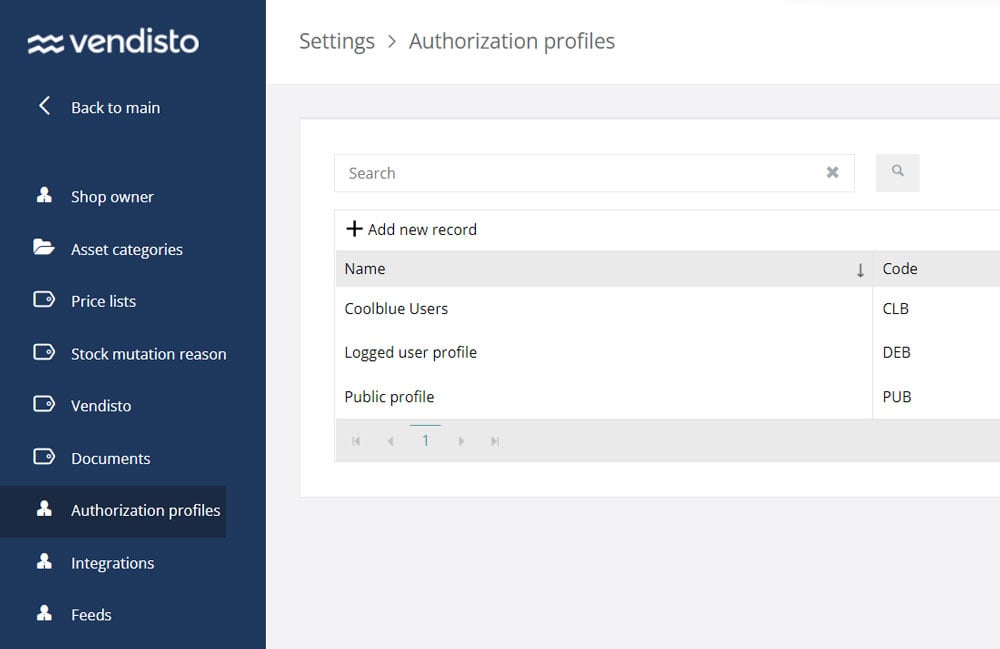 By creating a user group Coolblue and linking all Coolblue workwear exclusively to that group, you quickly get exactly what you want. Visitors who are not authorized see your standard assortment, and the Coolblue buyers see only Coolblue articles.
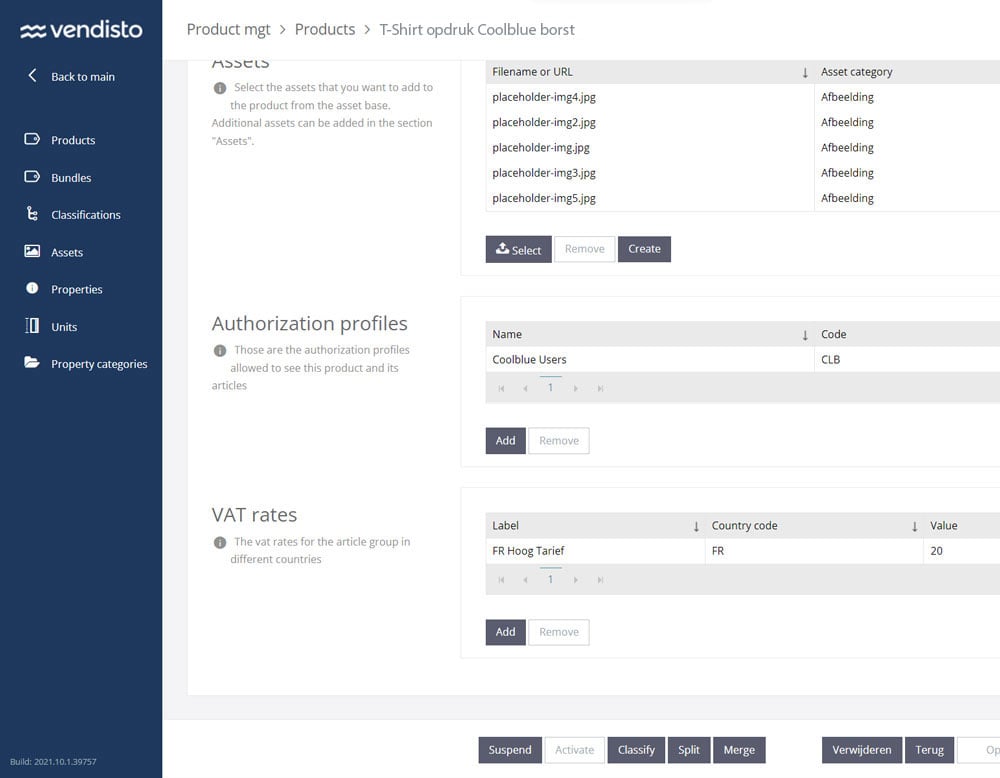 Apart from that, the authorization features leave the shop unchanged. Visitors navigate, search and filter as before, but everywhere they see only the products they have access to.
So authorizations are not a tool for visitors who want to put together their own subset of the assortment, for example of frequently ordered products. For that purpose Shoxl shops have another feature: the order list.
Order lists
With the Order Lists module you create order lists at customer level, or your customers do this themselves.
You will find the Order Lists module in Vendisto under Shop Management. Here you can put lists together in Vendisto itself or import them (Import/Export -> Order List Import). These lists are then available to the linked customer, who can find them in the customer portal under the heading Order Lists.
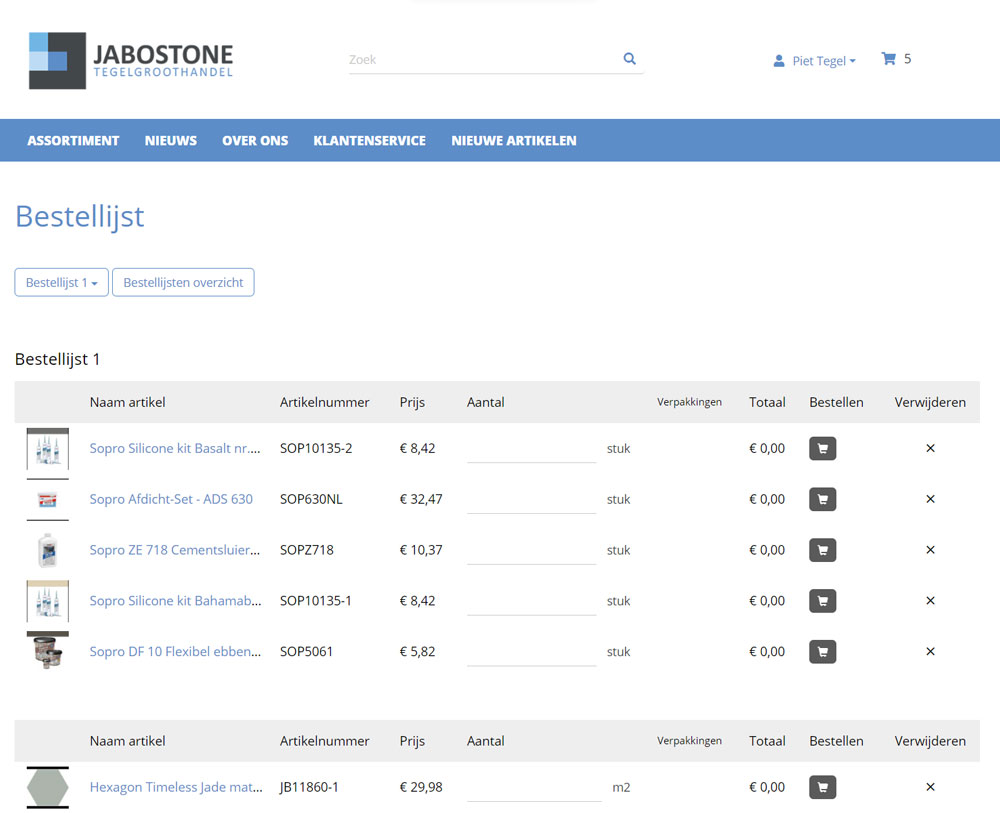 The customer can also create order lists or add articles to existing lists. This is done on the article detail page, using the Add to order list button. Articles can be removed on the order list itself.
Order lists make putting an order together much simpler and faster. The order list gives the customer their own preselection from the assortment. Quantities can be entered on the order list, after which the completed list can be added to the basket in one go.
So an order list is a tool for both the shop owner and the customer to keep part of the assortment in view.
Favourites list
An alternative to the order list is the favourites list. This also makes a selection from the assortment.
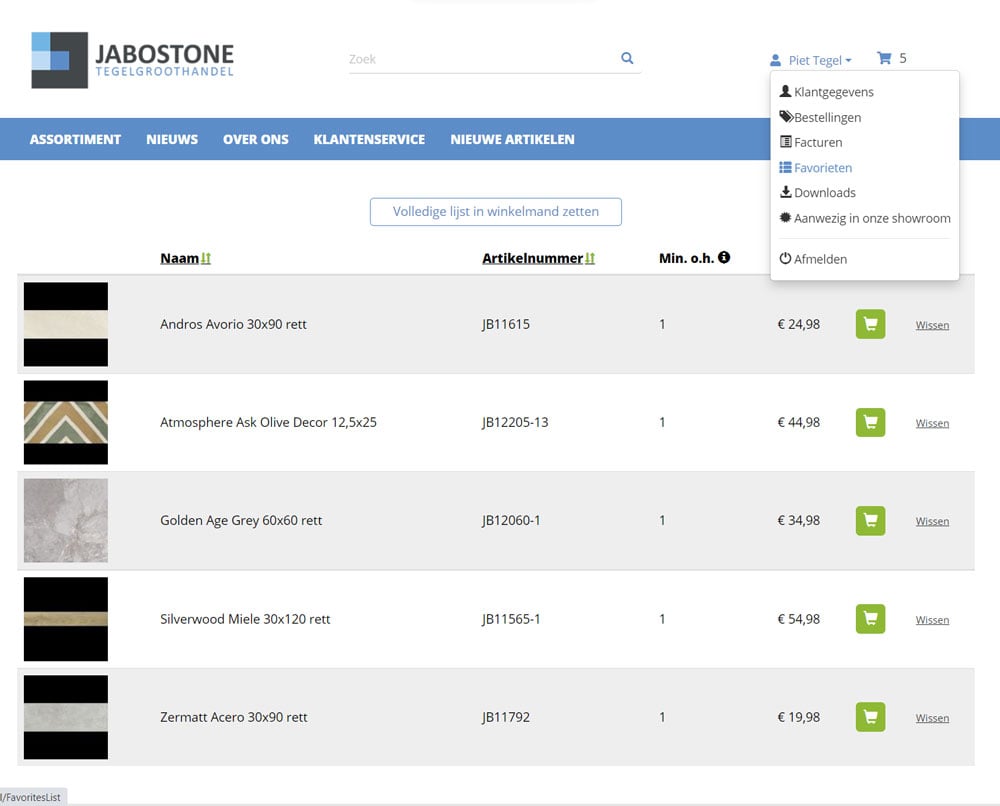 There are several differences between order lists and favourites lists.
In an order list, quantities can be entered, a selection can be added to the basket in one action and the customer can have more than one order list.
A customer, on the other hand, has at most one favourites list, and it can only be added to the basket line by line or as a whole, after which the quantities have to be entered in the basket.
But the most important difference between a favourites list and an order list is that a shop owner cannot prepare lists for customers. The favourites list is purely a tool for the visitor, which the shop owner has no control over (or view of).
User Restricted Article Lists
Order lists are defined at customer level. Every user sees the same lists and has the rights to change them. There is no central management of order lists. So order lists are best limited to customers with a single user.
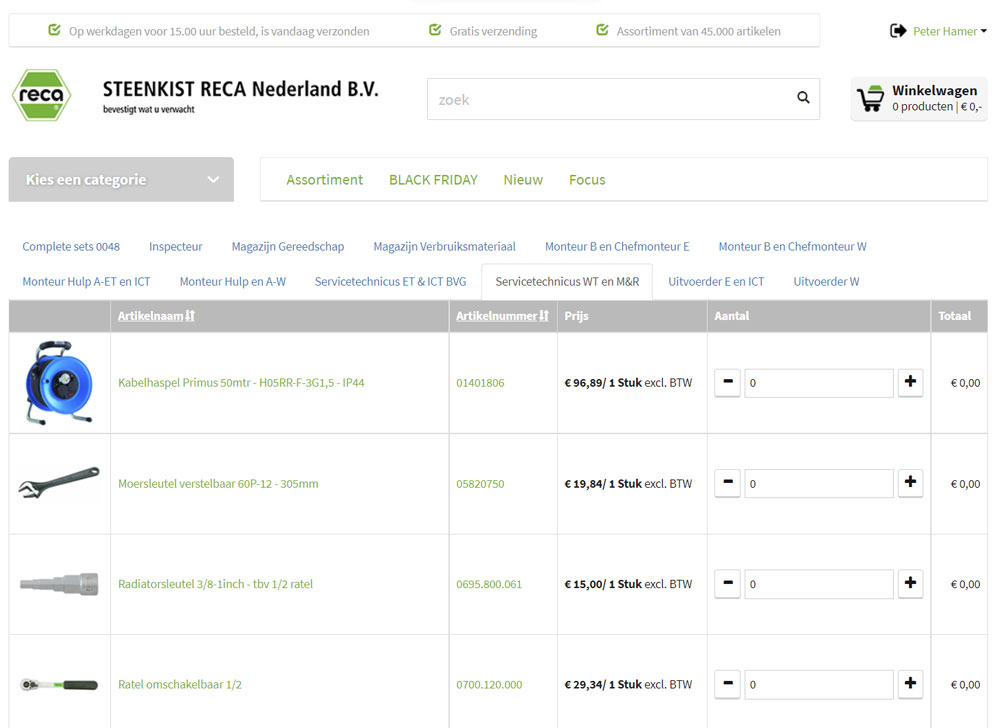 For customers with many users, however, there is also an excellent solution: the User Restricted Article List. It has to be supplied by the ERP system, which must then be able to do so.
A “User Restricted Article List” contains the articles that users with a particular profile may purchase, such as “Fitter's mate A-ET” and “Service technician ET”. You decide which profiles you want to distinguish. Each profile is linked to the products needed to do the work. Users are then linked to one or more profiles.
When users log in, they immediately see a list of products they can order. Other products may be visible in the shop, but they cannot be ordered.
User Restricted Article Lists cannot be changed by users; they are managed centrally.
Budget management
Does your customer give employees their own budget for buying products in your shop? For workwear and tools, for example, or for consumables?
In the User Management module, if this option is enabled, a budget can be linked to each user. Purchases are then deducted from the available budget. Once it has been used up, no more orders can be placed.
Budgets can be entered in Vendisto, but also by the customer's employees who have been given the rights to do so. In that case budgets are entered in the customer portal, and no access to Vendisto is needed.
So the combination of User Restricted Order List plus budget management is an excellent way to set up an internal shop, where your customers' employees can order the products they need themselves (for example PPE products or consumables).
A shop of its own for every visitor
So the Shoxl e-commerce platform offers a range of options for tailoring the assortments in your shop to the visitor.
The most advanced approach is to work with authorizations.
With order lists you or your customer can put together lists of subsets of the assortment.
With a favourites list the customer gets an immediate overview of the most important products.
And with User Restricted Article Lists users see only simple lists to order from. Ideal for an internal PPE shop, for example.
In short: a shop of their own for every visitor.