
 nl
 en


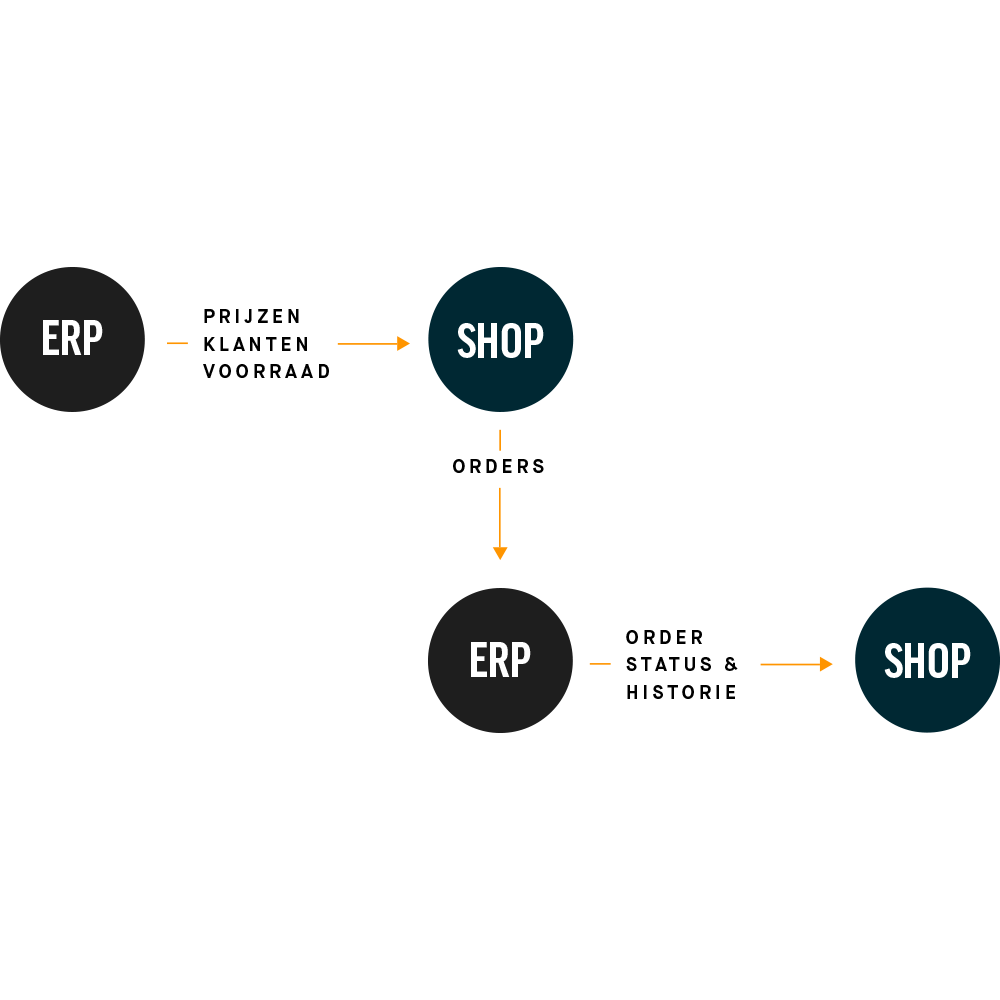
Integrations
Customers
Batch import of customer information and real-time creation of new customers.
Prices
Batch import of gross prices and real-time retrieval of customer-specific prices and discounts.
Stock
Real-time stock status checks when a product goes into the basket and just before the order is placed.
Orders
Real-time delivery of orders to the ERP. Order numbers are created in the ERP.
Order history
Real-time retrieval of order history for repeat orders and insight into order status and backorders.
Invoice history
Real-time retrieval of invoice history, including invoices in PDF format.
Authorizations
Batch import of customer groups and their authorizations for product groups and products.
OCI
Direct integration with procurement systems through the standard Open Catalog Interface.








Three ways to integrate with your ERP
Import / export
You can export all data supplied by ERP systems in Excel format. That is useful for analysis, for example. You can also import data manually. This helps when an automated integration with the ERP system is not possible, for whatever reason. The import also lets you enrich data with information that is not available in the ERP system.
Batch and real-time
Shoxl has two types of integration: batch and real-time. A batch integration is used for data that rarely changes, such as customer data and gross price lists. This kind of information is typically updated daily. Retrieving this data and storing it locally keeps the load on the ERP system to a minimum. Data that changes often, or needs complex queries, is retrieved from the ERP system in real time through web services. Examples are stock data and customer-specific prices and discounts.
ERP cache
Most modern ERP systems have a web services layer for retrieving and supplying data. Using these services can put a heavy load on the system, however. Some older ERP systems cannot integrate in real time at all. For these situations, we developed a solution within the Shoxl architecture: the ERP cache.
The ERP cache holds all the data the shop would normally request from the ERP system in real time. The shop now calls the ERP cache instead of the ERP system, using exactly the same calls. So the shop cannot tell that the ERP system is not consulted directly: it works on a kind of copy of the ERP system. This approach gives a near real-time experience even with ERP systems that are hard to access.